Cloud API setup
Connect your WhatsApp Business number
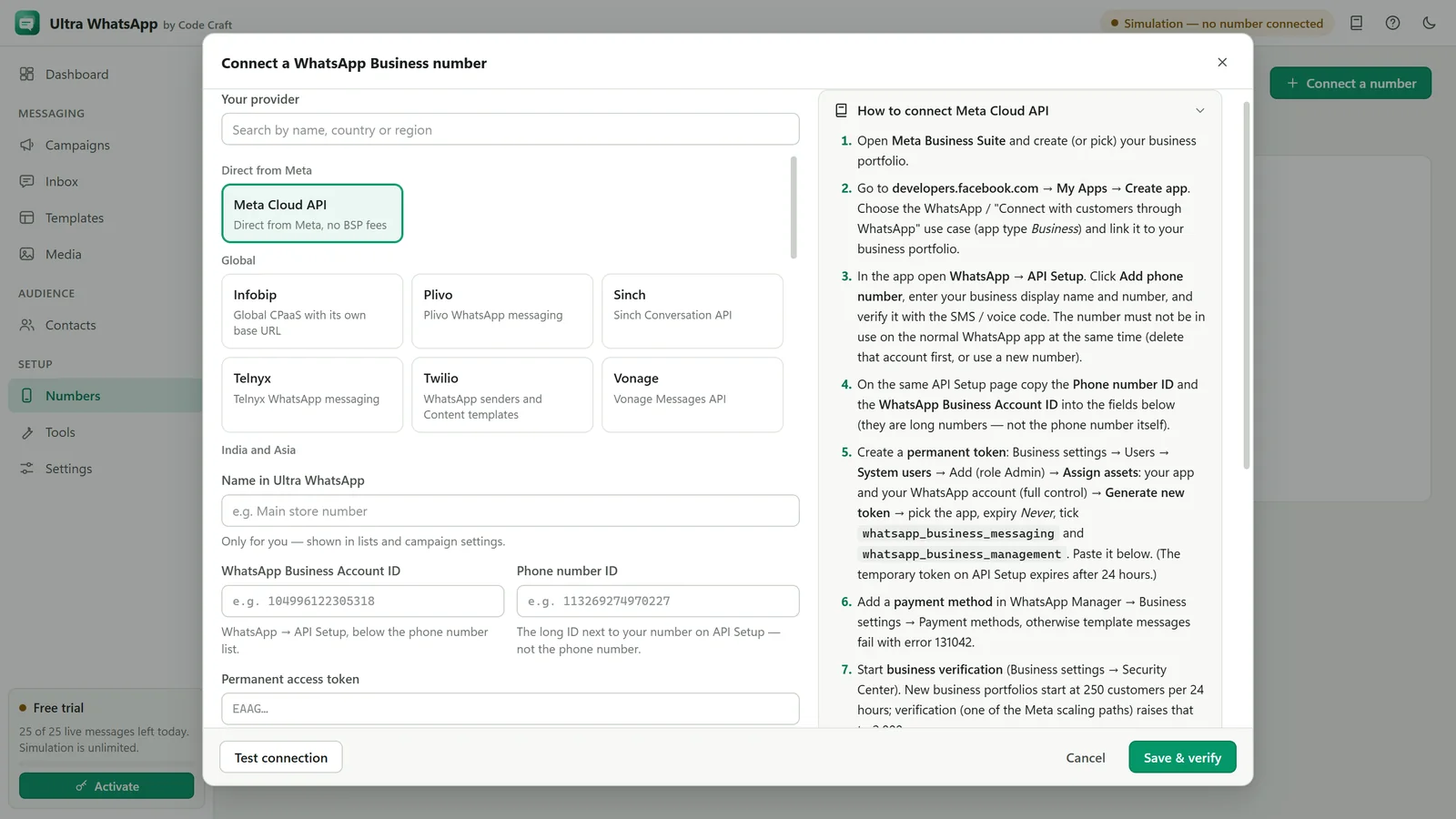
Ultra WhatsApp uses the official WhatsApp Business Cloud API. Connect directly to Meta, or through one of 18 named providers, grouped here by region. A Custom HTTP API covers any other.
Six things to know first
Official API for campaigns
Campaigns go through Meta's WhatsApp Business Cloud API, directly or through a provider. Ultra WhatsApp never automates WhatsApp Web or the phone app. Small opted-in lists can also use click-to-send, where you tap Send yourself.
Templates start conversations
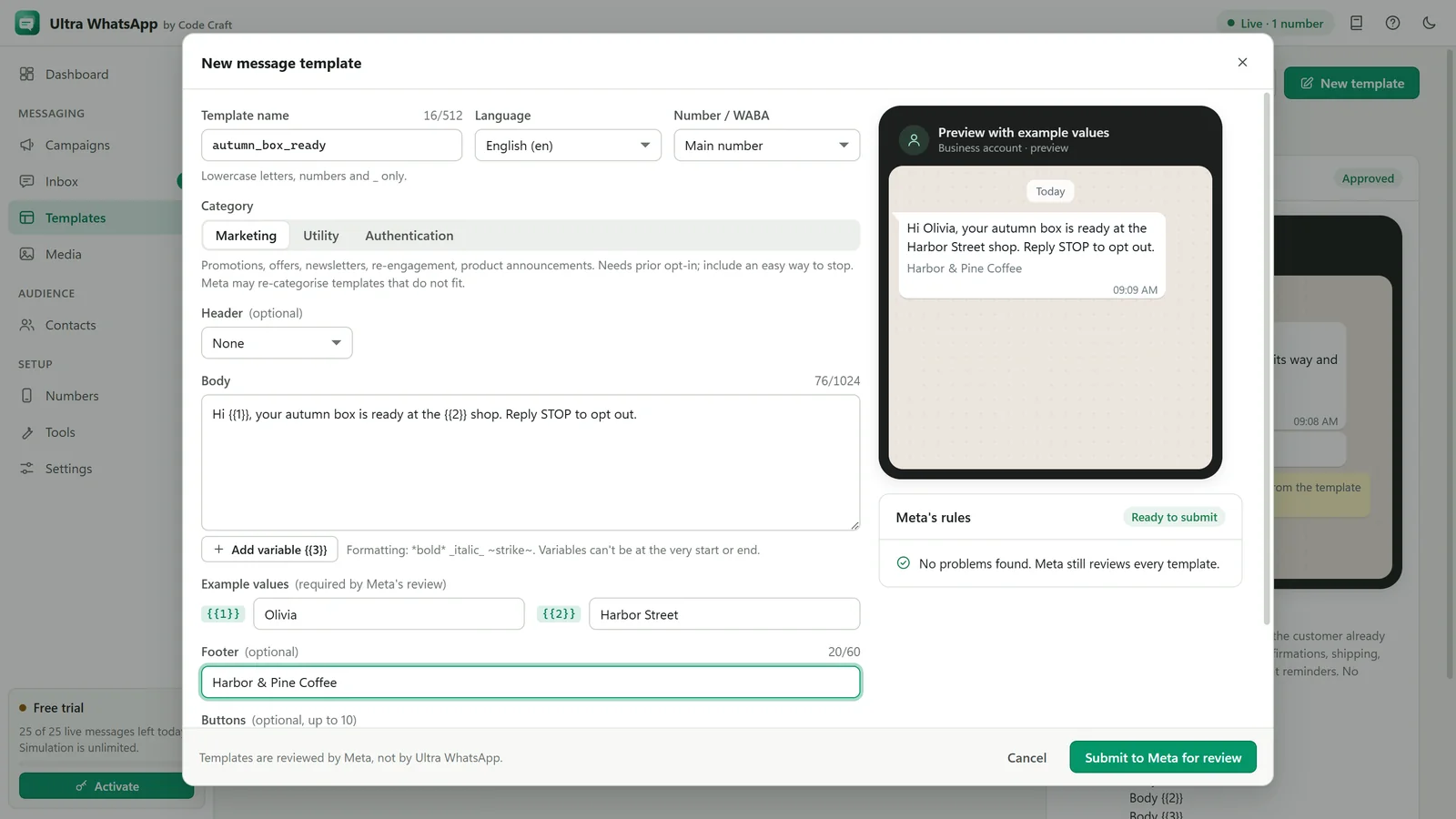
To message someone who has not written to you in the last 24 hours, you must use a template Meta has approved (marketing, utility or authentication).
The 24-hour window
When a customer messages you, you can reply freely for 24 hours. After that, only templates.
Meta bills you directly
Meta charges for template messages at its own rates, which depend on the template category and the recipient's country. You add a payment method in WhatsApp Manager; Ultra WhatsApp never handles that money.
Opt-in is required
Meta's policy requires people to agree to receive WhatsApp messages from your business before you message them. Ultra WhatsApp records each contact's opt-in.
One-tap connect is coming
Meta's own sign-up, where you confirm your WhatsApp Business app with a QR code or a code, is not switched on yet. The connect page shows the two ways that work today.
Directly with Meta
Middle East and Africa
Any other provider
When the test fails
Error 190 / invalid access token
The token expired or was revoked. Use a permanent system-user token, not the 24-hour test token.
Error 131047 (re-engagement)
More than 24 hours have passed since the customer's last message. Send an approved template instead of free text.
Error 131026 (message undeliverable)
The number is not on WhatsApp, cannot receive messages, or has not accepted the latest terms. Check the number; do not retry repeatedly.
Error 131049 (not delivered to keep engagement healthy)
Meta limits how many marketing messages one person receives. Try later and make marketing templates more relevant.
Error 132000 / 132001 (template)
The number of variables does not match the template, or the template name and language do not exist. Sync templates and check the mapping.
Error 130429 / 131056 (rate limits)
Too many messages too fast, or to the same number. Lower the speed setting.
Error 131042 (payment problem)
No working payment method on the WhatsApp Business Account. Add or fix it in WhatsApp Manager, Payment methods.
No delivered or read statuses
The webhook is not reachable. Check that the receiver is running (Settings, Webhook & replies), the tunnel is up, the callback URL and verify token match, and the messages field is subscribed. Self-test checks the receiver.
WhatsApp is a trademark of Meta Platforms, Inc. Ultra WhatsApp is an independent product by Code Craft and is not affiliated with or endorsed by Meta.
Related guides and pages
Where to go next: guides, setup steps and the pages people read alongside this one.
- Ultra WhatsAppConnect WhatsApp Business Number: Ways That Work TodayOne-tap connect is coming, and manual setup and partner sign-up work today. No WhatsApp Web login.Open
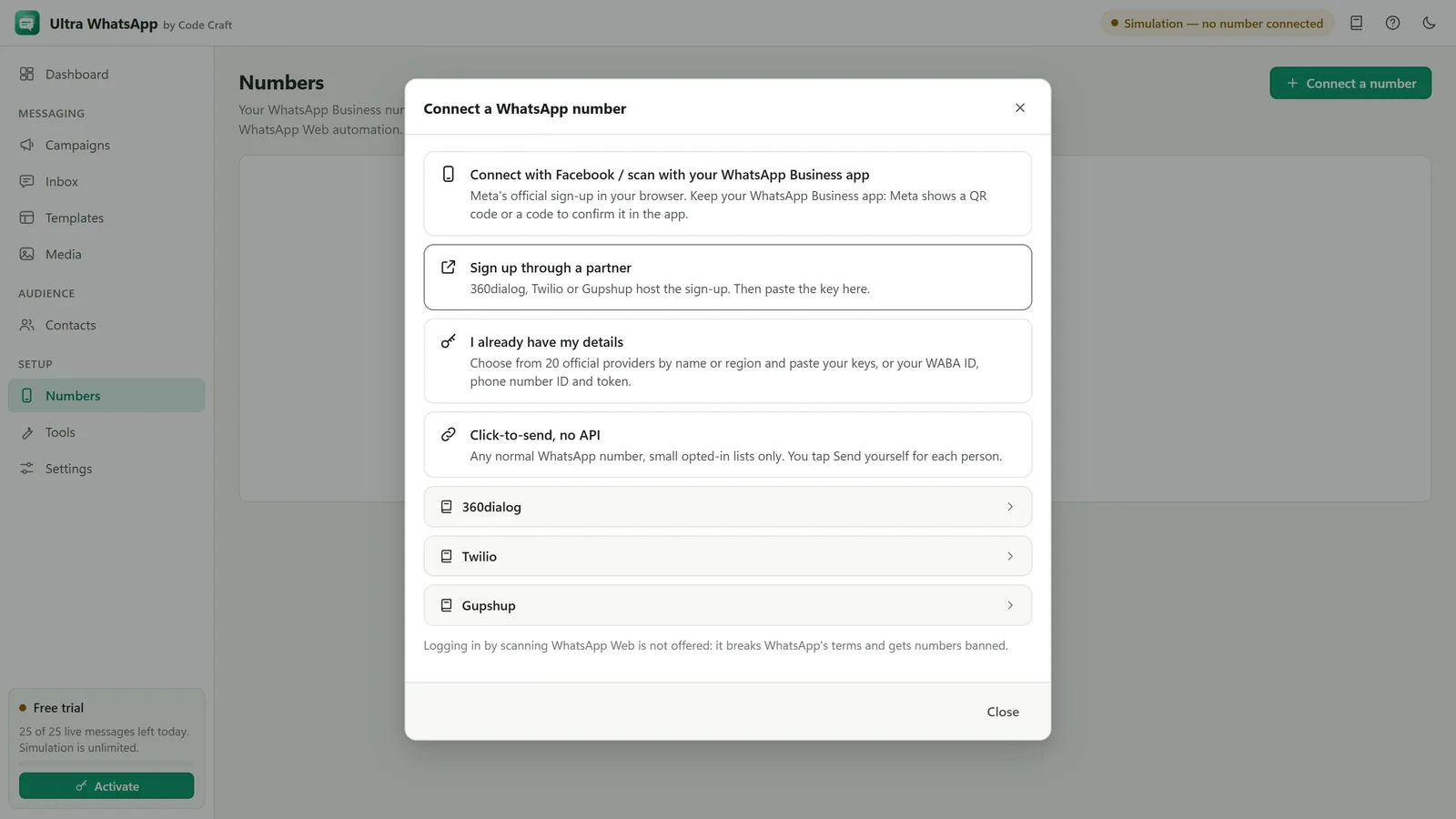
- Ultra WhatsApp manualConnect a WhatsApp Cloud API NumberThe phone number ID, the WhatsApp Business Account ID, a permanent token and checks for each.Open
- Ultra WhatsApp manualWhatsApp Webhook and Replies Inbox SetupA public HTTPS address, the verify token, receiving delivery statuses, and answering replies in 24 hours.Open

- Ultra WhatsApp manualWhatsApp Message Templates: Sync, Create, ApproveSync approved ones, write new ones with header, body, footer and buttons, and submit them for approval.Open
- Ultra WhatsAppBulk WhatsApp Sender FAQ: API and CostThe official Cloud API, templates, the 24-hour window, what Meta charges, messaging limits, opt-in, the free trial and the licence.Open