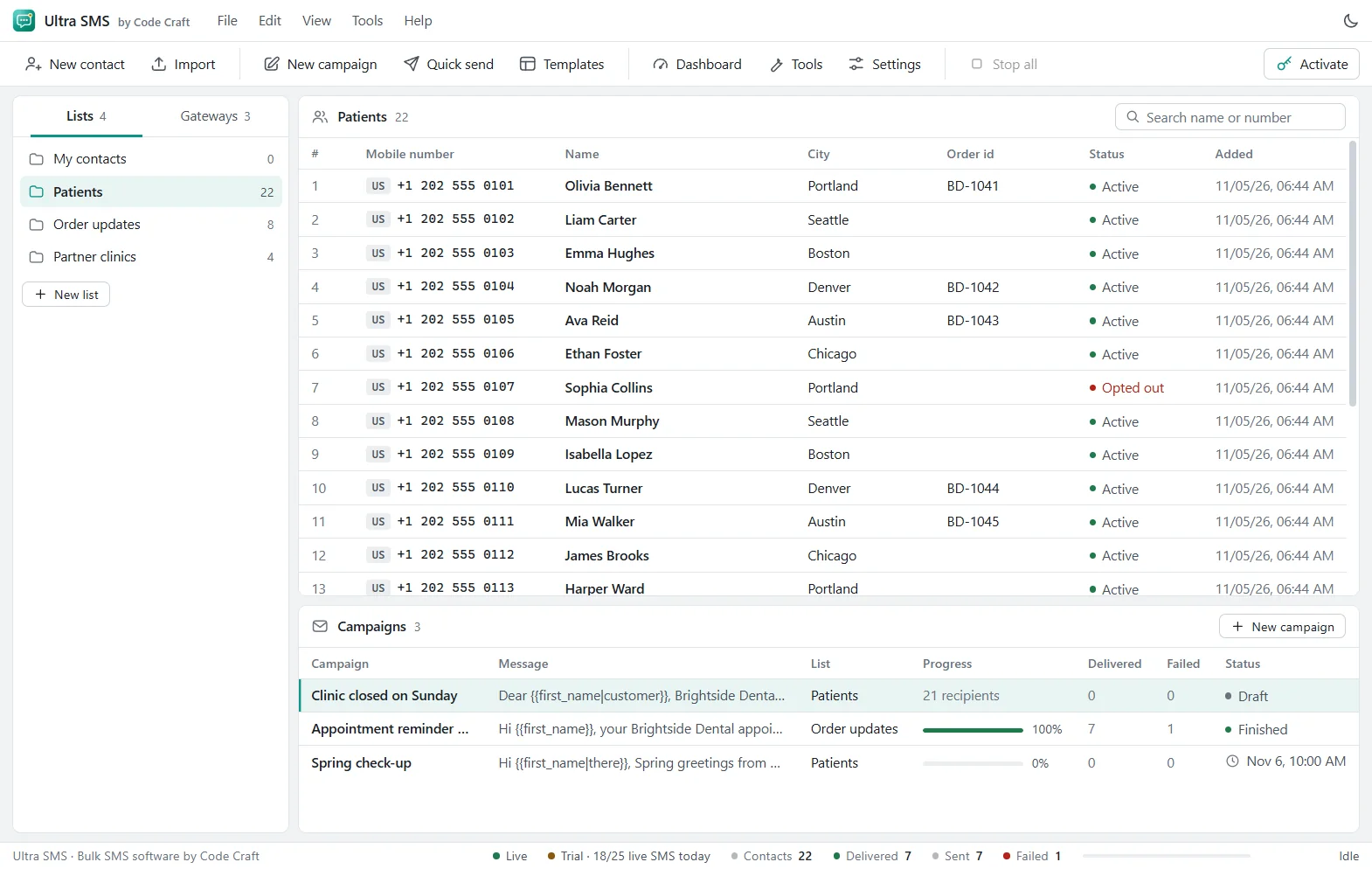
Bulk messaging for WhatsApp Business
A bulk WhatsApp sender for your opted-in customers, on the official Cloud API.
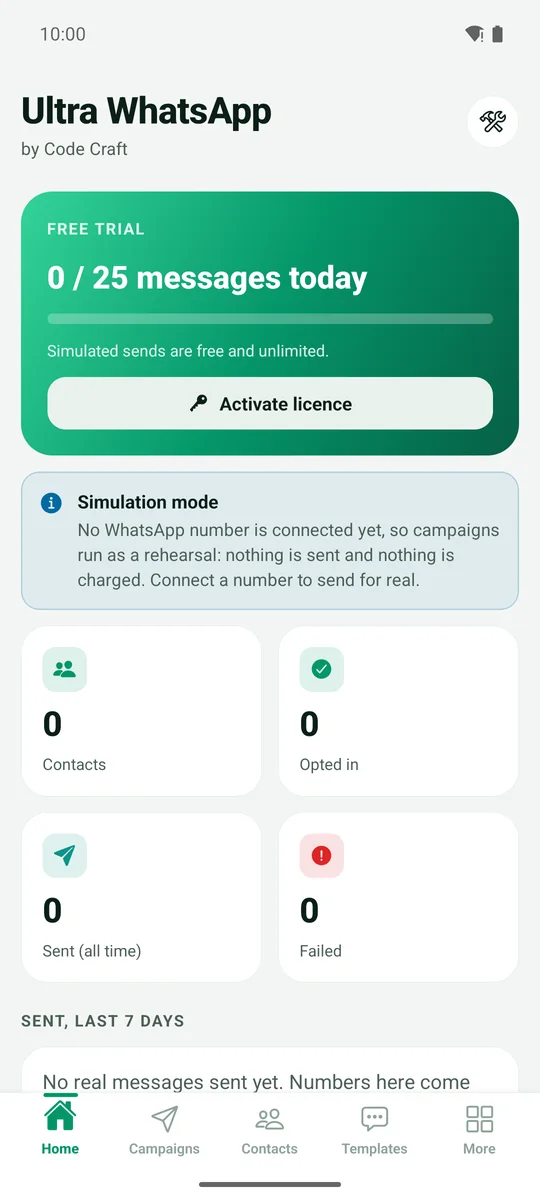
Ultra WhatsApp sends approved templates through the official WhatsApp Business Cloud API, from your own number. Map variables, add an image or document, pace sends to your messaging limit, and see sent, delivered, read and failed for every contact.
Windows and Android now; Mac, Linux and iOS coming soon. The free trial has no time limit and sends 25 messages a day.

Works with
- Meta Cloud API
- 360dialog
- Twilio
- Gupshup
- Infobip
- Vonage
- Sinch
- Telnyx
- Plivo
- Bird
- CM.com
- Interakt
- AiSensy
- WATI
- Kaleyra
- Route Mobile
- Zoko
- Unifonic
- D7 Networks
- Any HTTP API
What a bulk WhatsApp sender is, and why the route matters
A bulk WhatsApp sender delivers one message to many contacts on WhatsApp. There are two very different ways to build one. Many cheap tools automate WhatsApp Web or a phone, which breaks WhatsApp's terms and puts your number at risk. The other way is Meta's WhatsApp Business Cloud API, which is built for businesses and is what Ultra WhatsApp uses. You connect your own business number with your own token, directly with Meta or through a provider such as 360dialog, Twilio or Gupshup.
Working through the official API comes with rules, and it helps to know them before you start. A conversation has to begin with a template that Meta has approved. Your contacts must have opted in. Meta limits how many people you can start conversations with each day, and it raises that limit as you send good messages. Meta also bills template messages to you directly, at its own rates by category and country. Ultra WhatsApp handles the working parts: syncing templates, mapping variables, pacing to your limit, recording opt-ins, and showing sent, delivered, read and failed for every contact.
Last updated 6 November 2026. Current version 1.0.0.
- Sends through
- Your own WhatsApp Business Cloud API number (direct from Meta, or through a provider such as 360dialog, Twilio or Gupshup)
- Messages paid to
- Meta, per template message
- Free trial
- 25 messages a day, no time limit
- Licence
- From $29 a month, $79 a year or $199 once
What it does
Three things, done plainly.
Official Cloud API, not automation
Ultra WhatsApp talks to Meta's API with your own token. It never automates WhatsApp Web or the phone app, and no phone has to be left running.
Templates done properly
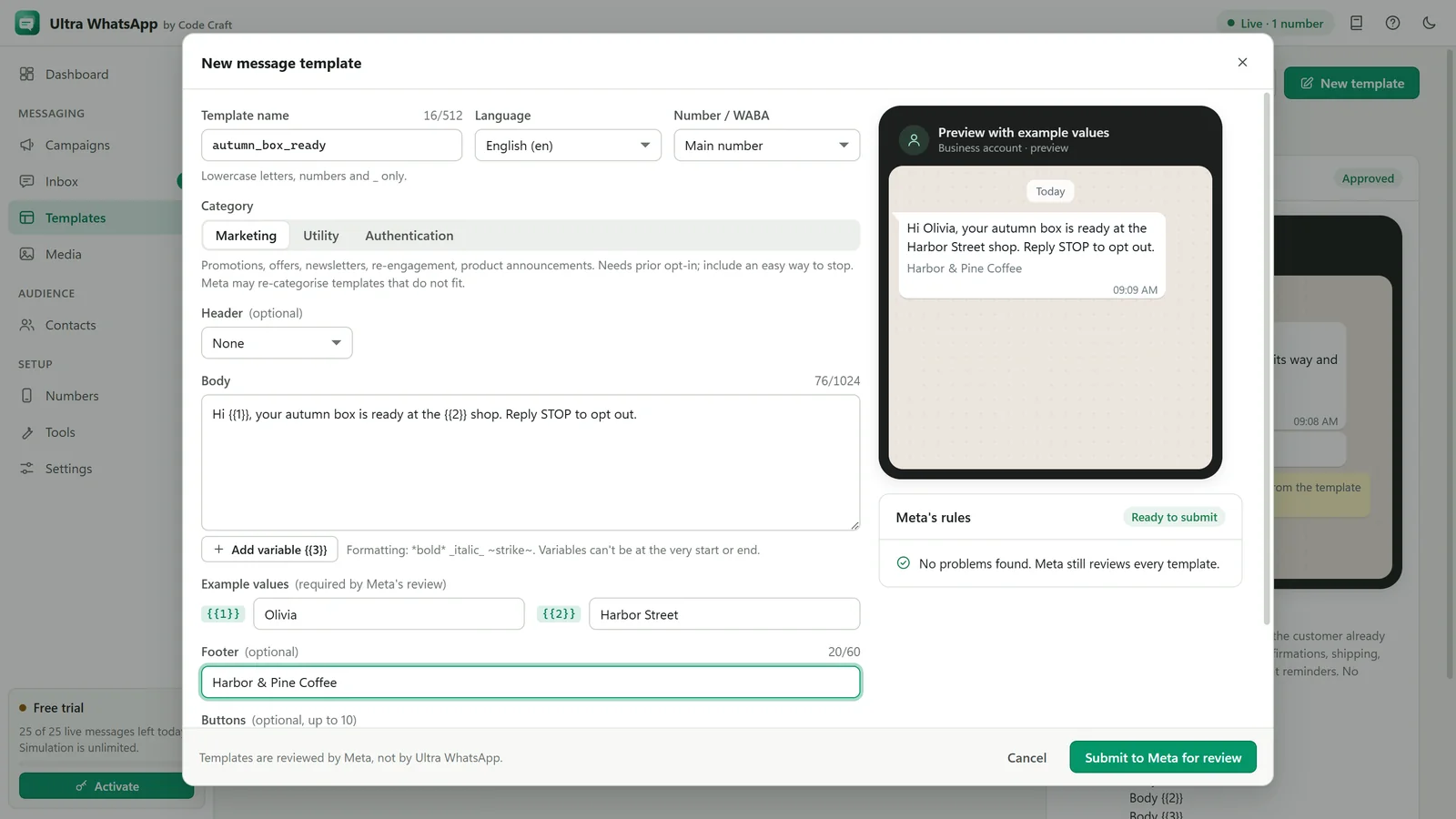
Sync your approved templates or create new ones, map variables to your columns, and add a media header.
See what happened
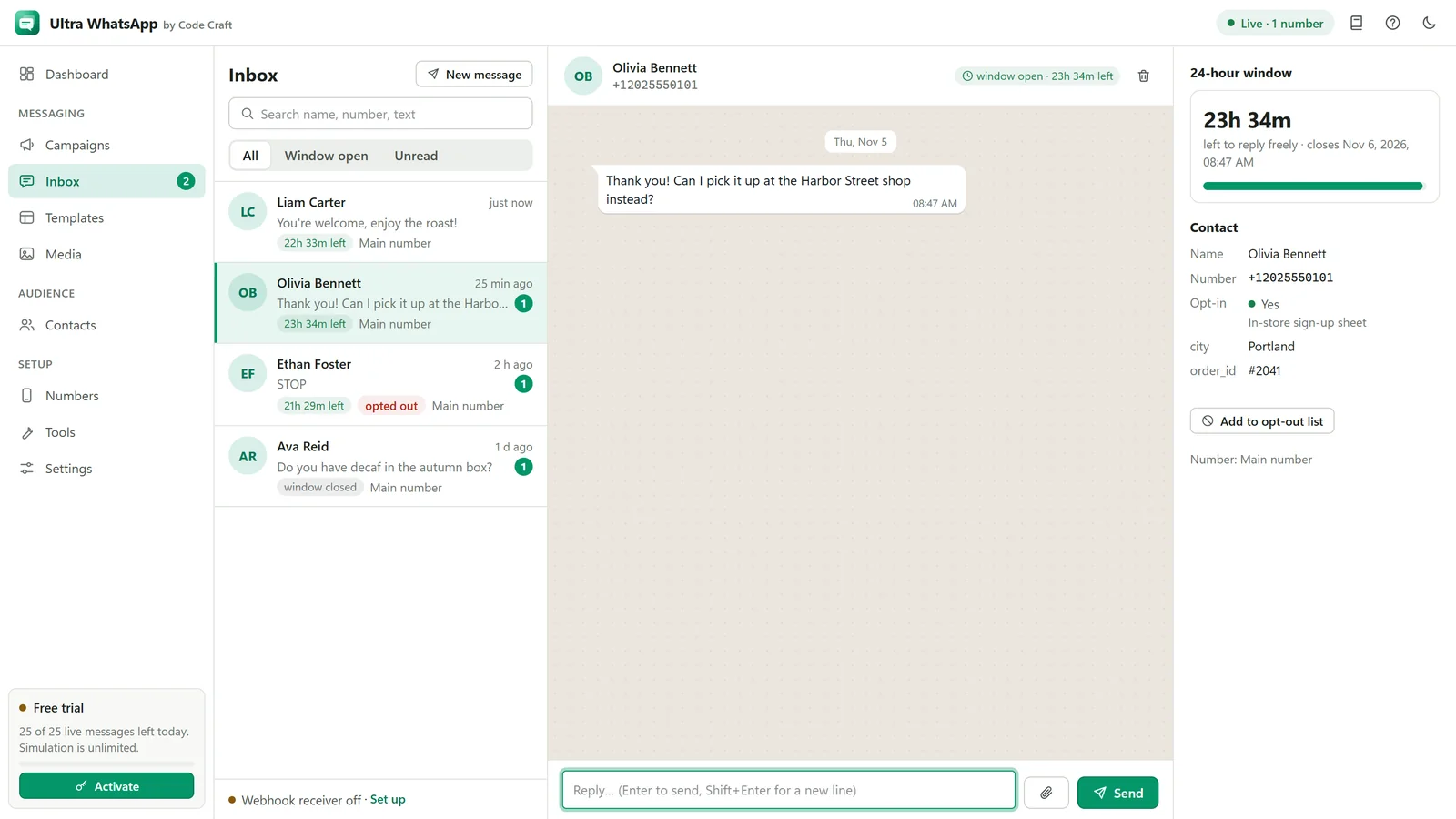
Sent, delivered, read and failed for each contact, with Meta's error codes explained in plain words, and replies in one inbox.
From approved template to delivered message
Everything Meta asks of a business sender, laid out in order.
- In-app setup guideStep by step from Meta business portfolio to permanent token and webhook, with the same steps on this site.
- Variable mapping{{1}}, {{2}} and the rest filled from any column, with fixed values and fallbacks.
- Media headersImage, video or document headers on templates that have them.
- 24-hour windowUltra WhatsApp knows who wrote to you in the last 24 hours and only offers free text where Meta allows it.
- Paced to your tierCampaigns are throttled to your messaging limit, so a large list does not run into Meta's caps.
- Plain-language errors131047, 131026 and the rest translated into what happened and what to do.
- Click-to-send for small listsNo API on a normal number? For a small opted-in list, the app opens each chat with the message filled in and you tap Send yourself.
From install to first send
Four steps.
- 1
Install
Download Ultra WhatsApp for Windows or Android. It starts in free trial mode.
- 2
Connect your number
Follow the setup guide to get your phone number ID and a permanent token from Meta (or use your provider's key).
- 3
Pick a template
Sync your approved templates, import opted-in contacts and map the variables.
- 4
Send and follow up
Start or schedule the campaign, watch delivered and read, and answer replies in the inbox.
Who Ultra WhatsApp is for
It suits businesses whose customers already use WhatsApp and have agreed to hear from them there.
Businesses with opted-in customers
Send order updates, reminders and offers as approved templates, with names and order details filled in from your sheet.
Teams that want Meta's rates without a monthly inbox fee
Connect directly to the Cloud API, so there is no middleman fee on top of what Meta charges.
Anyone leaving a WhatsApp Web tool
Move to the official API and stop relying on browser automation, which can get a number banned.
Small teams answering replies
Replies arrive in one inbox with the time left in each 24-hour window. The Business tier covers 3 devices on one key.
Ultra WhatsApp compared with the alternatives
Four ways to reach many people on WhatsApp, and what each one really involves.
| Compared on | Ultra WhatsApp | Hosted WhatsApp platform | WhatsApp Web automation tools | Business app broadcast lists |
|---|---|---|---|---|
| Uses the official API | Yes, the Cloud API | Yes | No | It is WhatsApp's own app, without the API |
| Risk to your number | Low if contacts opted in; Meta can still restrict numbers people report | Same as the official API | High: it breaks WhatsApp's terms | Low, but it is built for small volumes |
| What you pay | A monthly, yearly or lifetime licence, plus Meta's template charges | Usually a monthly fee, plus Meta's charges and sometimes a markup | A fee to the tool, and the risk to your number | Free |
| Who you can reach | Opted-in contacts, using approved templates | Opted-in contacts, using approved templates | Anyone, which is exactly why numbers get banned | Only people who saved your number |
| Delivered and read reports | Per contact, once the webhook is set up | Yes | Unreliable | Basic, in the app |
| Replies from a team | One inbox on your device | Shared team inbox, often with chatbots | No | On the phone it is linked to |
| Where your contacts live | On your own device | On the platform's servers | Varies | On your phone |
If you need a shared inbox for a large team or chatbots, a hosted platform will serve you better. If you want official sending at Meta's own rates with your contacts on your own device, this is what Ultra WhatsApp is for.
Preview a template
The same check the app runs, working right here.
Try the template preview
Your order is on its way
Hi Priya, good news: order #40817 left our warehouse today and should reach you by Friday. Track it any time from your account.
Reply STOP to stop updates
10:42
Lengths and variables look right. Meta still reviews the wording and category.
The official API, and what that means
Some bulk WhatsApp tools drive WhatsApp Web or a phone. Ultra WhatsApp does not, on purpose.
No bans for automation
Automating WhatsApp Web or a personal account breaks WhatsApp's terms and gets numbers banned. Ultra WhatsApp uses Meta's own Business API with your own token.
Meta's rules still apply
Templates must be approved, contacts must have opted in, and Meta limits how many people you can start conversations with each day. Your number can still be restricted if people block or report you.
Meta charges for templates
Meta bills template messages to you directly, at its rates for each category and country. Ultra WhatsApp adds no per-message fee.
One licence for the software
From $29 a month, $79 a year or $199 once: 1 device on Starter, 3 on Business, 10 on Agency. No fee per message or per contact.
The tools built into Ultra WhatsAppOur acceptable use policy
Plans for 1, 3 or 10 devices
Every tier has every feature. Yearly prices shown; monthly and lifetime are on the pricing page.
Starter
$79a year
Works out to $6.58 a month. You save 77% against paying $29 monthly.
1 device at a time
One person on one device
- Works on Windows, Linux and Android
- Every feature, on every tier
- Prepaid: nothing renews or charges by itself
- Free updates and support while the licence is active
- 15-day money-back guarantee
- No daily sending cap (the free trial allows 25 messages a day)
Business
For small teams$159a year
Works out to $13.25 a month. You save 77% against paying $59 monthly.
3 devices at a time
A small team, or your desktop and phone
- Works on Windows, Linux and Android
- Every feature, on every tier
- Prepaid: nothing renews or charges by itself
- Free updates and support while the licence is active
- 15-day money-back guarantee
- No daily sending cap (the free trial allows 25 messages a day)
Agency
$299a year
Works out to $24.92 a month. You save 79% against paying $119 monthly.
10 devices at a time
Agencies and larger teams
- Works on Windows, Linux and Android
- Every feature, on every tier
- Prepaid: nothing renews or charges by itself
- Free updates and support while the licence is active
- 15-day money-back guarantee
- No daily sending cap (the free trial allows 25 messages a day)
What you pay Meta (and a provider, if you use one)
Meta charges for template messages at rates that depend on the template category (marketing, utility, authentication) and the recipient's country, and bills them to the payment method in your WhatsApp Manager. Replies inside the 24-hour customer service window are not charged as template messages. Meta changes its pricing from time to time; its WhatsApp Business pricing page has the current rates.
If you connect through a provider such as 360dialog, Twilio or Gupshup, it adds its own platform or per-message fees. Connecting directly to Meta's Cloud API has no middleman fee.
Prices in Indian rupees are on the pricing page.
What Ultra WhatsApp will not do
Better to know now than after you buy. The free trial and simulation mode let you see all of this first.
- Campaigns need a Meta business portfolio and a phone number registered with the Cloud API. A normal WhatsApp number can only use click-to-send, where you tap Send yourself.
- Messages to people who have not written to you in 24 hours must use an approved template.
- Delivery statuses and replies need the webhook to be reachable at a public HTTPS address.
- Meta may hold back marketing messages to people who receive many of them (error 131049).
- No group messages, status posts or contacts who have not opted in.
- Scheduled campaigns send only while the app is running.
Questions about bulk WhatsApp sending
Is a bulk WhatsApp sender legal?
Sending through the official WhatsApp Business Cloud API to people who opted in is allowed, and is what the API is for. Tools that automate WhatsApp Web or a personal account break WhatsApp's terms. Data protection and marketing laws still apply where your customers live.
Can I send bulk WhatsApp messages without the Business API?
Not in bulk. Campaigns only work through the Cloud API, directly with Meta or through a provider, and Ultra WhatsApp never automates WhatsApp Web or a personal account. For a small opted-in list on a normal number, click-to-send opens each chat with the message filled in and you tap Send yourself.
Can I message people who have not saved my number?
Yes. Through the Cloud API a contact does not need to have saved your number, but they do need to have opted in to hear from your business, and the first message must be an approved template.
How much does it cost to send WhatsApp messages in bulk?
Two separate costs. The software is from $29 a month, $79 a year or $199 once. Meta charges for template messages at rates that depend on the category and the recipient's country, and its pricing page has the current figures. A provider, if you use one, adds its own fee.
How long does Cloud API setup take?
That depends mostly on Meta: creating the business portfolio and app takes a short while, and business verification or template approval can take longer. The setup guide on this site and inside the app walks through it in order, and simulation mode works before any of it is finished.
Can I add images, videos or buttons?
Yes, on templates approved with them: image, video or document headers, plus quick reply, link and phone number buttons. Ultra WhatsApp shows a preview of the message with your real values.
All Ultra WhatsApp questions and answers
WhatsApp is a trademark of Meta Platforms, Inc. Ultra WhatsApp is an independent product by Code Craft and is not affiliated with or endorsed by Meta.
Also by Code Craft
The same licence model, the same team.
Related guides and pages
Where to go next: guides, setup steps and the pages people read alongside this one.
- Ultra WhatsAppWhatsApp Business API Bulk MessagingCloud API setup, template sync, variable mapping, media headers, opt-in records, throttling, statuses and an inbox.Open

- Ultra WhatsAppWhatsApp Cloud API Setup: Meta and BSPsConnect a WhatsApp Business number through Meta or one of 18 named providers, with a token or key and a webhook.Open
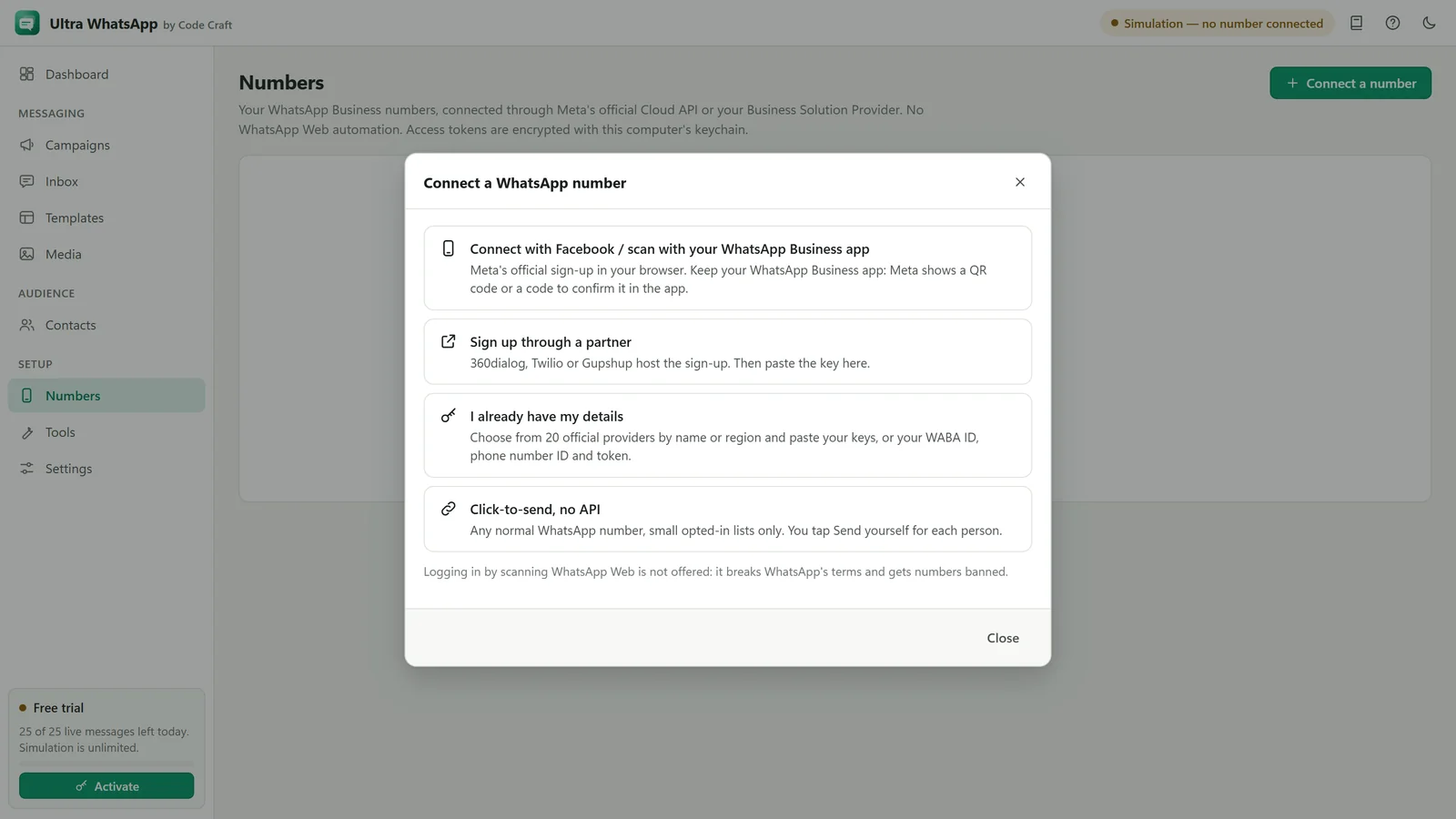
- Ultra WhatsApp setupWhatsApp Business Cloud API Setup with MetaBusiness portfolio, app, phone number ID, permanent system-user token and webhook, with no middleman fee.Open
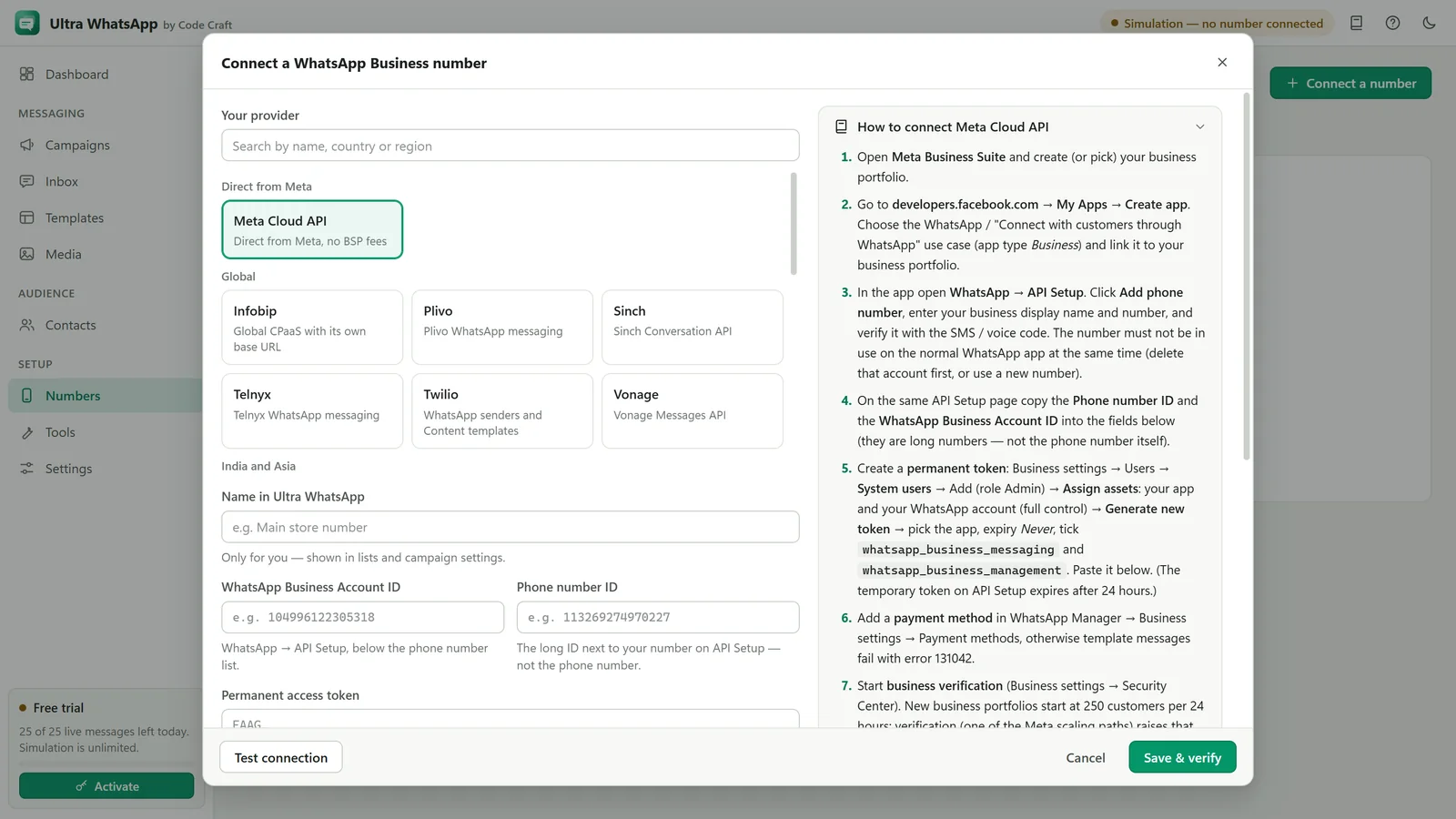
- Ultra WhatsAppWhatsApp Template Preview and App ToolsTry the WhatsApp template preview on this page, then see the tools inside Ultra WhatsApp: compliance checker, cost estimator, number validator and list cleaner.Open
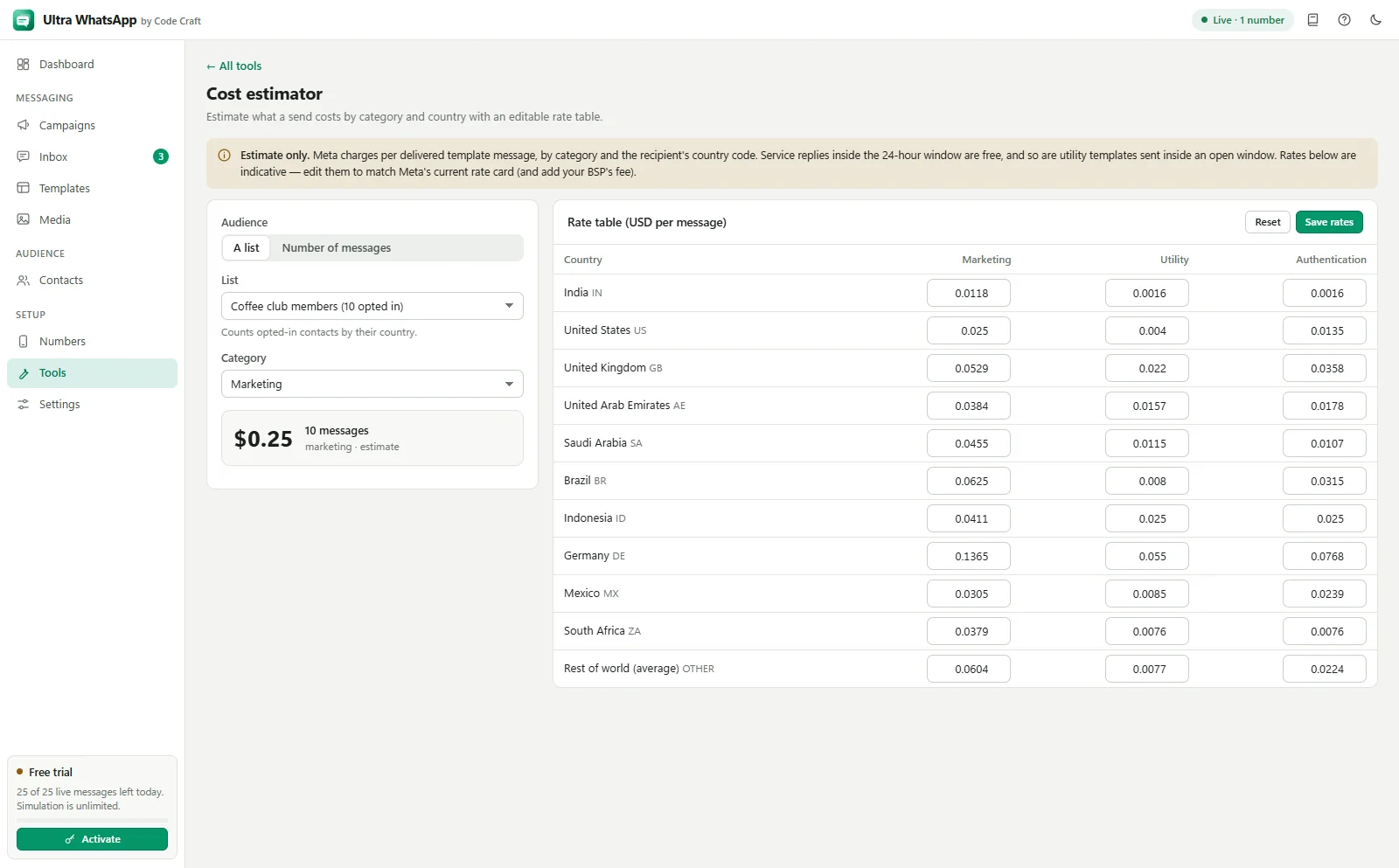
- Ultra WhatsApp manualWhatsApp 24 Hour Window and Meta ChargesWhen you can reply freely, when you need a template, how Meta charges for each category, and where to read current rates.Open
- Ultra WhatsApp manualWhatsApp Message Templates: Sync, Create, ApproveSync approved ones, write new ones with header, body, footer and buttons, and submit them for approval.Open
- Ultra EmailBulk Email Software for Windows and AndroidBulk email software that runs on your own computer and sends through your Gmail, Outlook or SMTP accounts. Free trial of 50 emails a day, no per-contact fees.Open

- Ultra SMSBulk SMS Software for Windows and AndroidTwilio, Vonage, MSG91, Fast2SMS and more. Segment counter, India DLT fields, free trial of 25 SMS a day.Open