Download
Download bulk email software: the Ultra Email free trial
The free version needs no purchase and no sign-up: install and send up to 50 emails a day from one sender. Add a licence key later to remove the limit and unlock tracking, scheduling and the inbox tools. Current version 1.0.1.
Windows
Windows 10 or 11, 64-bit
If Windows says "Windows protected your PC", click More info, then Run anyway. The installer is new and not code-signed yet.
Download UltraEmail-Setup.exemacOS (Apple Silicon)
macOS 12 or later
Needs a Mac edition key (the free trial works without one). Open the .dmg and drag Ultra Email into Applications. The first time you open it, macOS says it cannot check the app: click Done, open System Settings, Privacy & Security, scroll down and click Open Anyway. On macOS 14 or older you can instead right-click the app and choose Open.
Download UltraEmail-1.0.1-arm64.dmgmacOS (Intel)
macOS 12 or later
Same steps as Apple Silicon. Not sure which Mac you have? Apple menu, About This Mac: "Apple M" means Apple Silicon, "Intel" means this one.
Download UltraEmail-1.0.1-x64.dmgLinux
64-bit Linux with a desktop
Make it executable with chmod +x UltraEmail-*.AppImage, then run it.
Download UltraEmail-1.0.1.AppImageAndroid
A recent Android phone or tablet
Open the downloaded file and allow installs from this source when Android asks. The mobile app sends through email API services (Brevo, SendGrid, Mailgun, Resend, Amazon SES, Postmark, SparkPost, Mailjet, Elastic Email, SMTP2GO, Mailchimp Transactional, MailerSend, SendPulse, Netcore, ZeptoMail, Mailtrap, Scaleway TEM or a Custom HTTP API).
Download UltraEmail-1.0.1.apkiPhone and iPad
Coming. Use the Android app or the desktop apps for now.
After you install
- 1
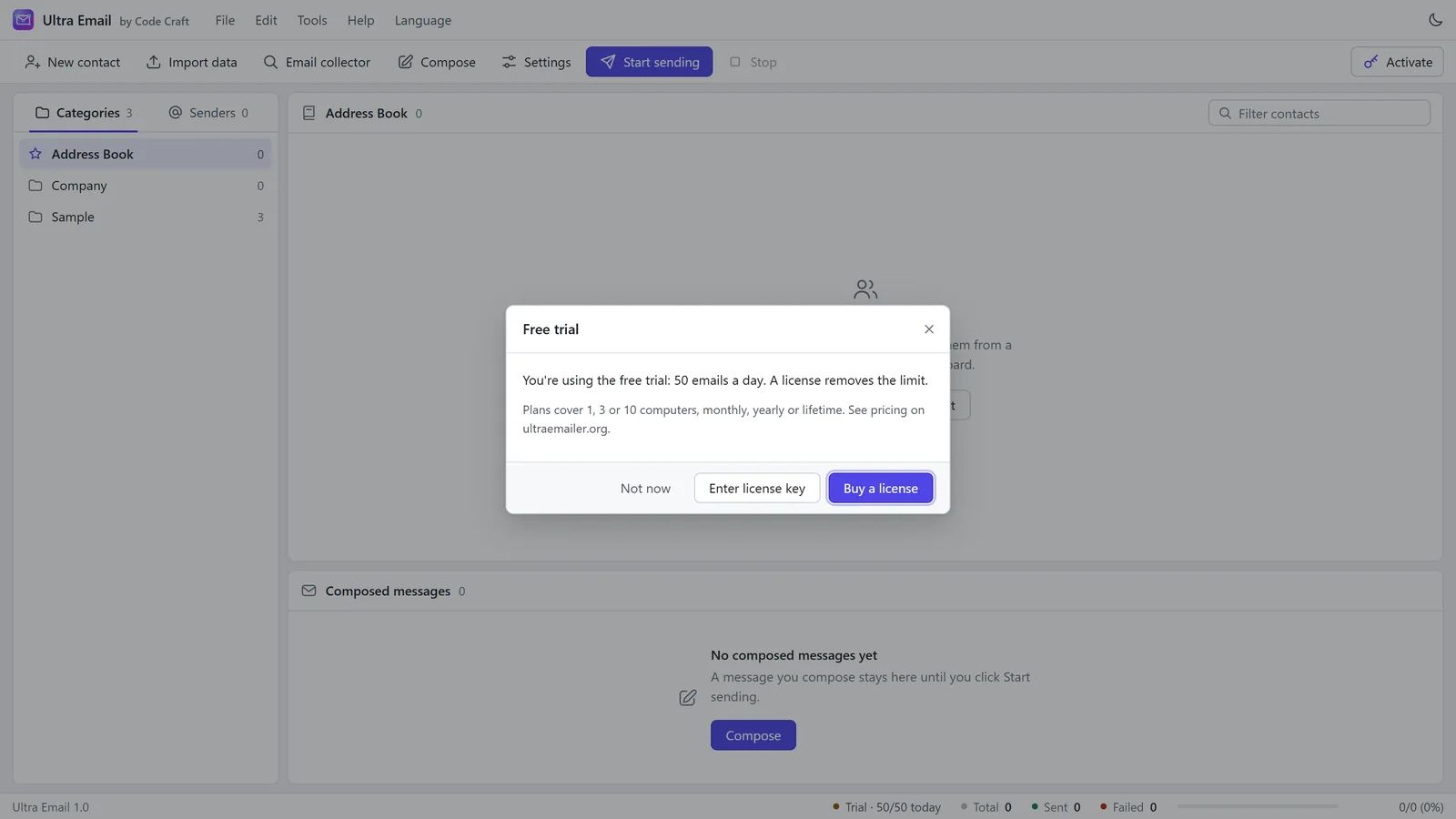
Open the app. It starts in trial mode with sample data and simulation on, so nothing is sent by accident.
- 2
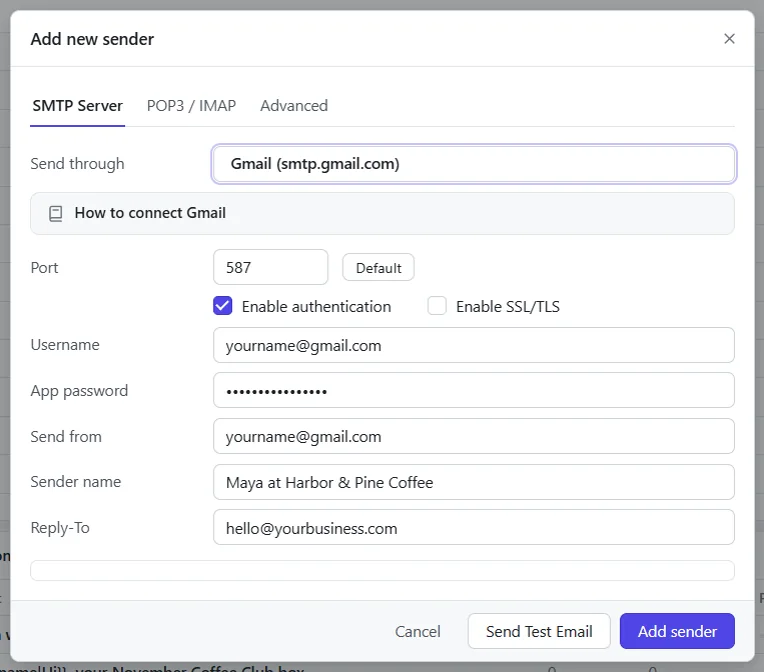
Add a sender: see the SMTP setup guides for your provider.
- 3
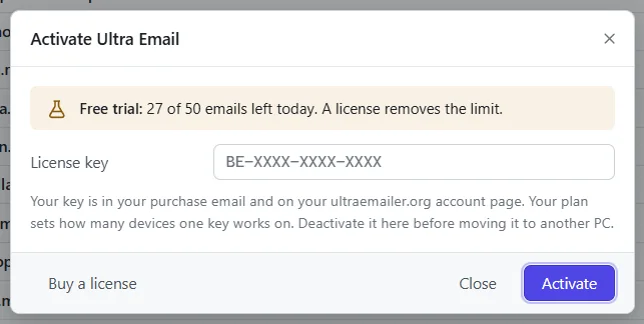
Bought a licence? Open Help, then Activate, and paste your key. Find your key any time under My account.
The Windows installer is new and is not code-signed yet, so Windows may show a warning on first run. Installers are downloaded straight from this site.
Related guides and pages
Where to go next: guides, setup steps and the pages people read alongside this one.
- Ultra Email manualInstall Bulk Email Software on Windows or AndroidHow to install bulk email software on Windows, macOS and Linux, including what to click when Windows warns you about the installer and how to open it on a Mac.Open
- Ultra Email manualBulk Email Software Licence Key and ActivationHow the trial works, where to paste the key, how to move it to another computer, and what happens at renewal.Open
- Ultra EmailSMTP Settings for Bulk Email: Gmail, SES, MoreSMTP settings for bulk email from Gmail, Outlook, Microsoft 365, Yahoo, Zoho, Hostinger, cPanel, Amazon SES, SendGrid, Brevo and more, with steps for each.Open
- Ultra EmailBulk Email Software Price: From $79 a YearUltra Email is from $79 a year, $29 a month or $199 once, for 1, 3 or 10 devices, with a 15-day refund. Try it free first.Open
- Ultra EmailBulk Email Software FAQ: Trial, Licence, InboxThe Ultra Email free trial, licence and devices, renewals, refunds, whether mail reaches the inbox, how tracking works and how you pay.Open