Ultra Email by Code Craft
Bulk email software that sends from your own computer, through your own mailboxes.
Ultra Email keeps your contacts on your machine, sends through Gmail, Outlook, your domain mailbox or a sending service, and shows you who opened, clicked and unsubscribed. No per-contact fees.
Windows, Mac, Linux and Android. The trial has no time limit and sends 50 emails a day.
Works with
- Gmail and Google Workspace
- Outlook.com, Hotmail and Live
- Microsoft 365 (business mailbox)
- Yahoo Mail
- AOL Mail
- iCloud Mail
- Zoho Mail
- Proton Mail (Bridge)
- Hostinger email
- cPanel and other web hosts
- Amazon SES
- SendGrid
- Brevo (Sendinblue)
- Mailgun
- Mailgun EU
- Mailjet
- Postmark
- Postmark broadcast
- SMTP2GO
- Zoho Mail (EU data centre)
- GMX
- WEB.DE
- Mail.com
- Mail.ru
- Yandex Mail
- Yandex Mail (Russia)
- QQ Mail
- NetEase VIP163
- Daum and Hanmail
- Fastmail
- Comcast and Xfinity
- AT&T
- Verizon
- Cox
- Google Workspace
- Google Workspace SMTP relay
- Zoho Mail (paid organisation)
- Proton Mail SMTP token
- GoDaddy Professional Email
- Namecheap Private Email
- Bluehost
- IONOS
- IONOS UK
- OVHcloud MX Plan
- Rediffmail Pro and Enterprise
- NetEase Enterprise Mail
- SparkPost
- SparkPost EU
- Resend
- Elastic Email
- Mailchimp Transactional (Mandrill)
- Netcore Email (formerly Pepipost)
- MailerSend
- Moosend
- SendPulse
- turboSMTP
- SocketLabs
- Mailtrap transactional
- Mailtrap bulk
- MailPace
- Scaleway Transactional Email
- Zoho ZeptoMail
- Alibaba Cloud DirectMail
- Tencent Cloud SES
What bulk email software is, and how this one works
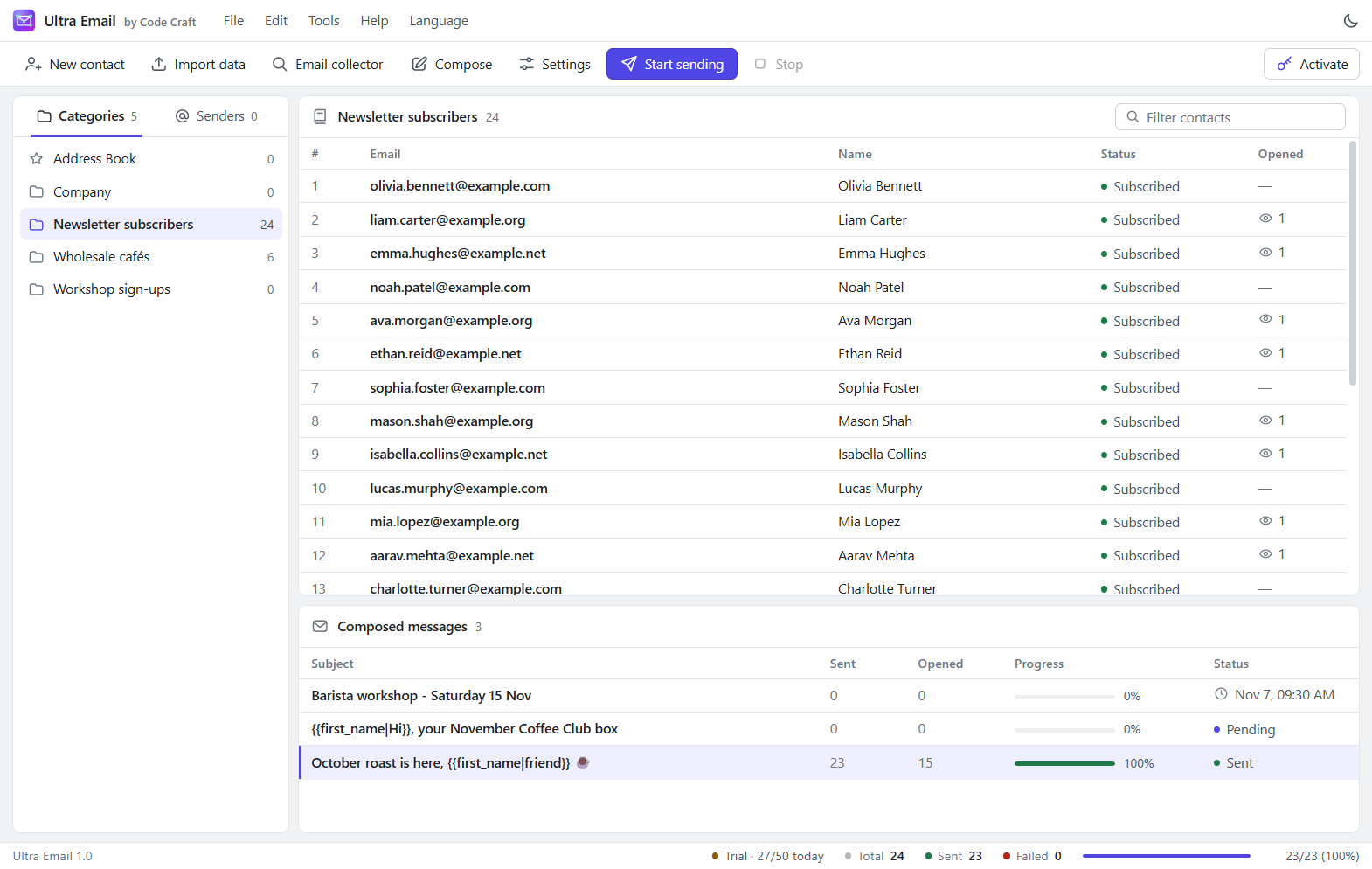
Bulk email software sends one campaign to many people, with each message addressed and personalised individually. Most tools in this category are hosted platforms: you upload your list to their servers and pay according to how many contacts you keep there. Ultra Email takes the other route. It is an app on your own computer. Your list, your templates and your campaign history stay on your machine, and the messages leave through mail accounts you already control.
That makes the cost easy to work out. You pay once for the software and your mail provider charges whatever it already charges, so a bigger list does not raise the licence price. It also means the limits that matter are your provider's limits. A personal Gmail account allows roughly 500 recipients a day, a shared hosting mailbox often a few hundred an hour, and a relay such as Amazon SES far more once your domain is verified. Ultra Email rotates between senders and paces itself to stay under the limits you set.
Last updated 6 November 2026. Current version 1.0.1.
What it does
Three things, done plainly.
Keep your list on your computer
Categories, contacts, templates and campaign history live on your own machine, not on a platform that charges by the contact.
Send through accounts you own
Use Gmail, Outlook, your domain mailbox or a sending service. Ultra Email rotates between them and respects their limits.
See what happened
Sent, failed, opened and clicked counts update live, and one-click unsubscribes are honoured automatically.
Compose, personalise, send
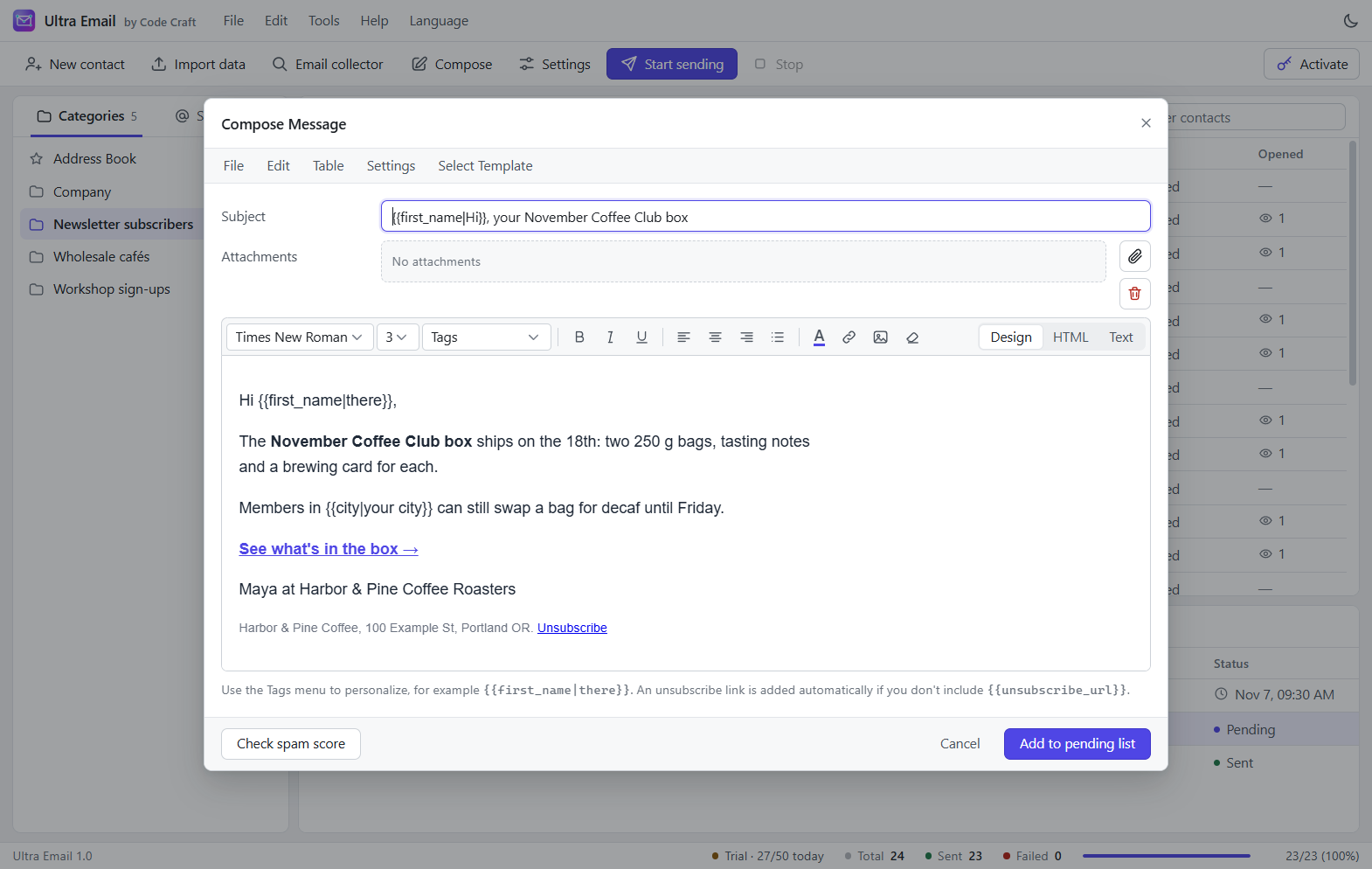
Write in a rich editor, greet each reader by name, and send at a pace your mail provider accepts.
Excel, CSV and clipboard import
Columns are detected and mapped; duplicates are merged and invalid addresses skipped and counted.
Sender rotation
Switch to the next sender after a set number of emails, spreading the load across accounts.
Rate limits
Per-minute and per-hour limits plus a wait between messages, to stay under provider caps.
Merge tags with fallbacks
{{first_name|there}} greets "there" when the name is empty. Any custom field works as a tag.
Simulation mode
Run a whole campaign into an outbox folder without sending a single email.
One-click unsubscribe
An unsubscribe link in every message; the contact's status updates by itself.
From install to first send
About fifteen minutes the first time.
- 1
Install
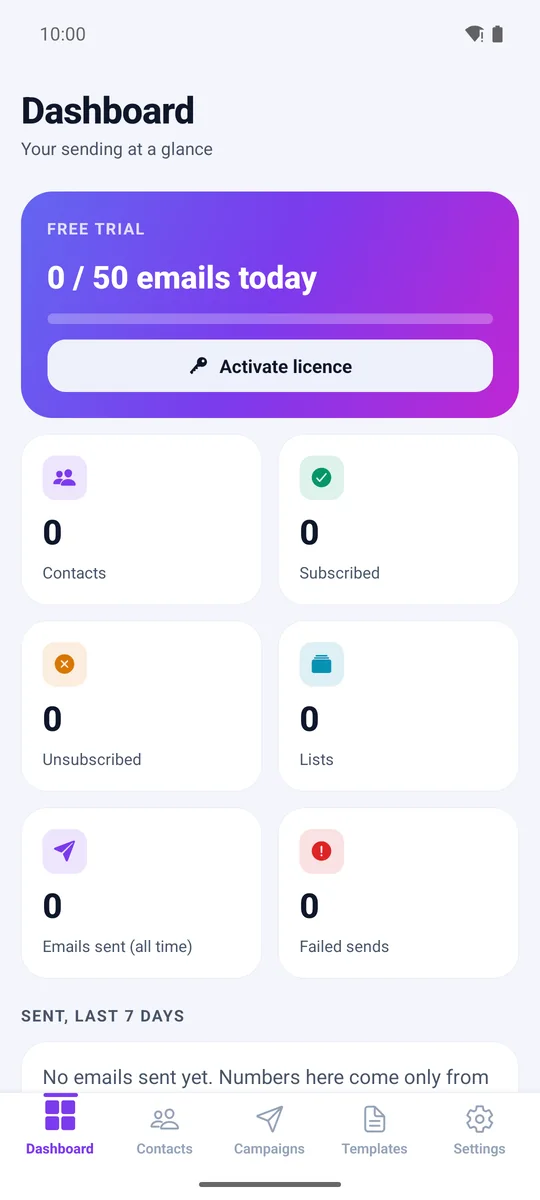
Download the installer for Windows, or the Android app. It starts in free trial mode with sample data and simulation on.
- 2
Connect your email
Pick your provider from the list. Ultra Email fills in the server and shows what to do next.
- 3
Import and compose
Bring in an Excel or CSV list, write your message with merge tags, and add it to the pending list.
- 4
Send and track
Run a simulation first, switch to Live, and watch sent, opened and clicked counts update.
Who Ultra Email is for
It suits people who already have a list of subscribers or customers and want to own the sending tool.
Small businesses with a customer list
Send offers, news and reminders to the customers who agreed to hear from you, from the address they already know.
Newsletter writers
Write in a rich editor, greet each reader by name with merge tags, and see opens and clicks per campaign.
Agencies and consultants
Keep each client's list in its own category and connect the client's own mailbox or relay as the sender.
Anyone tired of per-contact pricing
Licences start at $29 (₹2,813) a month and never rise with your list, however long it grows.
Ultra Email compared with the alternatives
No option wins on everything. Hosted platforms do more for you; a desktop app leaves more with you.
| Compared on | Ultra Email | Hosted email marketing platform | Sending by hand from Gmail or Outlook |
|---|---|---|---|
| What you pay | A monthly, yearly or lifetime licence. Your mail provider's own costs, if any. | Usually a monthly fee that rises with contacts or emails. | Nothing extra, but your time. |
| Where your list lives | On your own computer | On the platform's servers | In your mailbox contacts or a spreadsheet |
| Who sends the mail | Your own mailboxes or a relay you choose | The platform's servers, under its rules | Your mailbox |
| Personalisation | Merge tags with fallbacks from any column | Yes, plus segments on most plans | Only by mail merge add-ons |
| Open and click tracking | Yes, after you set a public tracking URL | Yes, ready to use | No |
| Automated journeys and sign-up forms | Not included: you import a list and send campaigns | Usually included | No |
| Very large lists | Suits thousands to tens of thousands of contacts | Built for millions | Not practical |
| Setting up deliverability | Your job, with guides and checking tools in the app | Partly handled for you | Your provider's defaults |
If you want automated journeys, landing pages or lists in the hundreds of thousands, a hosted platform will serve you better. If you want to keep your data and pay a flat price, this is what Ultra Email is for.
Honest about deliverability
No software can guarantee inbox placement. It depends on your sending accounts, your domain setup, your list and your content. Ultra Email gives you the controls; you stay in charge of the reputation.
The app includes tools that check your setup before you send: a spam checker, SPF/DKIM/DMARC check, blacklist lookup, list cleaner and more. Ultra Email is built for people who opted in, and it includes consent status and a one-click unsubscribe in every message.
The built-in email deliverability toolsOur acceptable use policy
Plans for 1, 3 or 10 devices
Every tier has every feature. Yearly prices shown; monthly and lifetime are on the pricing page.
Starter
$79a year
Works out to $6.58 a month. You save 77% against paying $29 monthly.
1 device at a time
One person on one device
- Works on Windows, Linux and Android
- Every feature, on every tier
- Prepaid: nothing renews or charges by itself
- Free updates and support while the licence is active
- 15-day money-back guarantee
- No daily sending cap (the free trial allows 50 emails a day)
Business
For small teams$159a year
Works out to $13.25 a month. You save 77% against paying $59 monthly.
3 devices at a time
A small team, or your desktop and phone
- Works on Windows, Linux and Android
- Every feature, on every tier
- Prepaid: nothing renews or charges by itself
- Free updates and support while the licence is active
- 15-day money-back guarantee
- No daily sending cap (the free trial allows 50 emails a day)
Agency
$299a year
Works out to $24.92 a month. You save 79% against paying $119 monthly.
10 devices at a time
Agencies and larger teams
- Works on Windows, Linux and Android
- Every feature, on every tier
- Prepaid: nothing renews or charges by itself
- Free updates and support while the licence is active
- 15-day money-back guarantee
- No daily sending cap (the free trial allows 50 emails a day)
Prices in Indian rupees are on the pricing page.
What Ultra Email will not do
Better to know now than after you buy. The free trial lets you test all of this with your own accounts.
- Does not read bounce or complaint messages from your mailbox automatically; you can mark contacts as bounced by hand.
- Does not DKIM-sign raw SMTP mail itself; your mail provider does that.
- Stores data as JSON files, which suits lists of thousands to tens of thousands, not hundreds of thousands.
- Real open and click tracking needs a public tracking URL pointing at the app's built-in tracking server.
- Scheduled campaigns send only while the app is running (it can stay in the system tray).
Questions about bulk email software
Is bulk email software legal?
Yes, when you send to people who agreed to hear from you and give them an easy way to unsubscribe. Laws such as CAN-SPAM in the USA and GDPR in Europe set the details. Sending to bought or scraped lists breaks those rules and our acceptable use policy, and Ultra Email adds an unsubscribe link to every message.
Can I send bulk email from a normal Gmail account?
Yes, for small lists. Personal Gmail allows roughly 500 recipients a day and Google Workspace about 2,000. You connect with an app password, and Ultra Email can rotate between several senders. For thousands of emails per send, connect a relay such as Amazon SES or Brevo instead.
How much does bulk email software cost compared with a monthly platform?
Ultra Email is from $29 a month, $79 a year or $199 once, for 1 device on Starter, 3 on Business, 10 on Agency, with no fee per contact or per email. Hosted platforms usually charge monthly according to list size, so compare their current price for your list against that flat figure, plus whatever your SMTP relay charges.
Do I need a dedicated server or IP address?
No. Ultra Email sends through accounts you connect, so you need no server of your own. Shared mailboxes and relays work out of the box. Large senders sometimes rent a dedicated IP from their relay, but that is a decision for later and happens at the relay.
Does it work without an internet connection?
You can edit contacts and templates offline, but sending needs a connection to your mail provider, and the app checks your licence online at least every 14 days.
What is the difference between this and an SMTP relay?
A relay such as SendGrid or Amazon SES delivers the email. Ultra Email is the app you use to manage the list, write the campaign, pace the sending and read the results. You can use them together, and you pay the relay separately.
All Ultra Email questions and answers
Ultra Email is not affiliated with UltraMailer or any other email software vendor.
Related guides and pages
- SMTP Email Sender Software: Every Feature
- Best SMTP Server for Bulk Email: How to Choose
- SMTP Settings for Bulk Email: Gmail, SES, More
- Email Deliverability Tools: SPF, DKIM, Spam
- Email Marketing Software One Time Payment: Lifetime Licence
- Send Bulk Email from Gmail, Step by Step
- Bulk SMS Software for Windows and Android
- Bulk WhatsApp Sender, Official Cloud API