Features
SMTP email sender software: what Ultra Email does, and what it does not
Four areas, each taken from the app itself. The limits are listed at the bottom so nothing surprises you after you buy.
Contacts and lists
Bring your audience in and keep it clean.
- Categories
- Folder-style lists. One contact can sit in several categories.
- Excel, CSV and clipboard import
- Columns are detected and mapped; duplicates are merged and invalid addresses skipped and counted.
- Consent status
- Every contact is subscribed, unsubscribed, bounced or complained. Unsubscribed contacts are always skipped.
- Address check
- Syntax and MX-record check to catch addresses that would bounce before you send.
- Email collector
- Pulls addresses out of text and files you already own. It does not crawl websites.
- CSV export
- Export any category back to a CSV that opens in Excel.

Senders and delivery
Connect any mailbox or relay and send at a safe pace.
- 100+ provider presets
- Host, port and security are filled in for you, with step-by-step help inside the app.
- Sender rotation
- Switch to the next sender after a set number of emails, spreading the load across accounts.
- Rate limits
- Per-minute and per-hour limits plus a wait between messages, to stay under provider caps.
- Retry and auto-disable
- Failed messages are retried; a sender that keeps failing is switched off automatically.
- Amazon SES by SMTP or API
- Use SES SMTP credentials, or IAM keys with the SES API.
- Send test email
- Prove an account works before you trust it with a campaign.

Compose and personalise
Write emails that greet each reader by name.
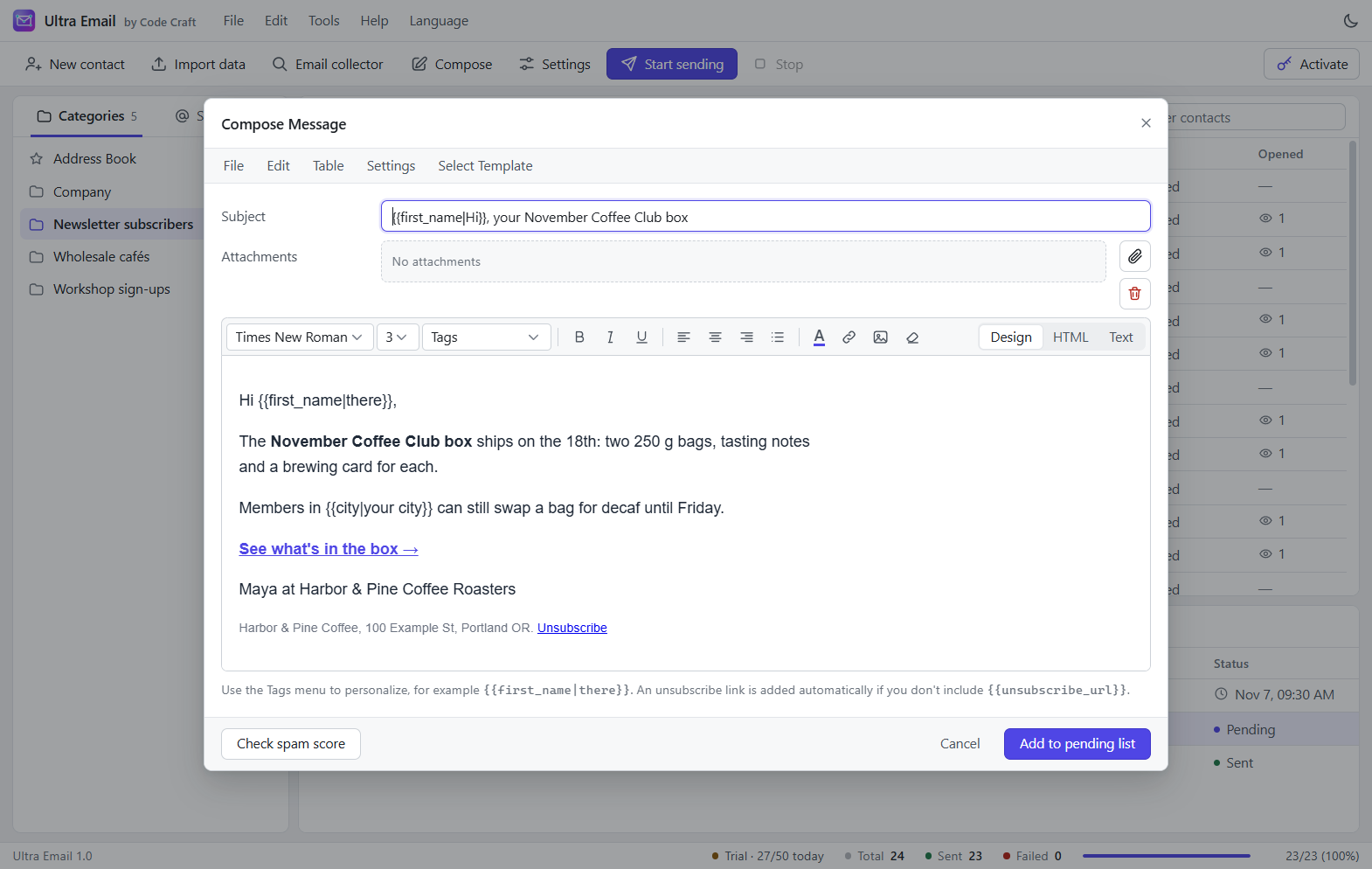
- Rich-text composer
- Fonts, colour, lists, links and images, in Design, HTML and Text views.
- Merge tags with fallbacks
- {{first_name|there}} greets "there" when the name is empty. Any custom field works as a tag.
- Templates
- Start from a template and save your own designs to reuse.
- Attachments
- Attach files, or better, link to them.
- Scheduling
- Pick a date and time; reschedule or cancel until it starts.
- Simulation mode
- Run a whole campaign into an outbox folder without sending a single email.
Tracking and compliance
Know the result, and respect the recipient.
- Open and click tracking
- A tracking pixel and rewritten links, with live counts in the campaign grid.
- One-click unsubscribe
- An unsubscribe link in every message; the contact's status updates by itself.
- Public tracking URL
- Point a domain or tunnel at the built-in tracking server so real recipients can reach it.
- Desktop notification
- Told when a campaign finishes, even with the app minimised to the tray.
- Backup and restore
- One file holds categories, contacts, senders, templates and campaigns.
- Opt-in by design
- Built for people who asked to hear from you. No list buying, no scraping.

Getting mail delivered
The practices that matter most, and which the app helps you keep.
Authenticate your domain
Gmail and Yahoo expect bulk senders to publish SPF, DKIM and DMARC records. The guide shows the records to add.
Warm up new senders
Start with 20 to 50 emails a day and increase over 2 to 4 weeks. Rotation and hourly limits make that easy to control.
Clean your list
Check addresses before sending, remove bounces and unsubscribes, and never buy lists.
Keep complaints low
Aim to stay under 0.1% spam complaints. Honest subjects and an easy unsubscribe link help most.
The app also has nine built-in email deliverability tools.
Limits, stated plainly
- Does not read bounce or complaint messages from your mailbox automatically; you can mark contacts as bounced by hand.
- Does not DKIM-sign raw SMTP mail itself; your mail provider does that.
- Stores data as JSON files, which suits lists of thousands to tens of thousands, not hundreds of thousands.
- Real open and click tracking needs a public tracking URL pointing at the app's built-in tracking server.
- Scheduled campaigns send only while the app is running (it can stay in the system tray).