Connect your number
Connect a WhatsApp Business number: one-tap is coming, two ways work today
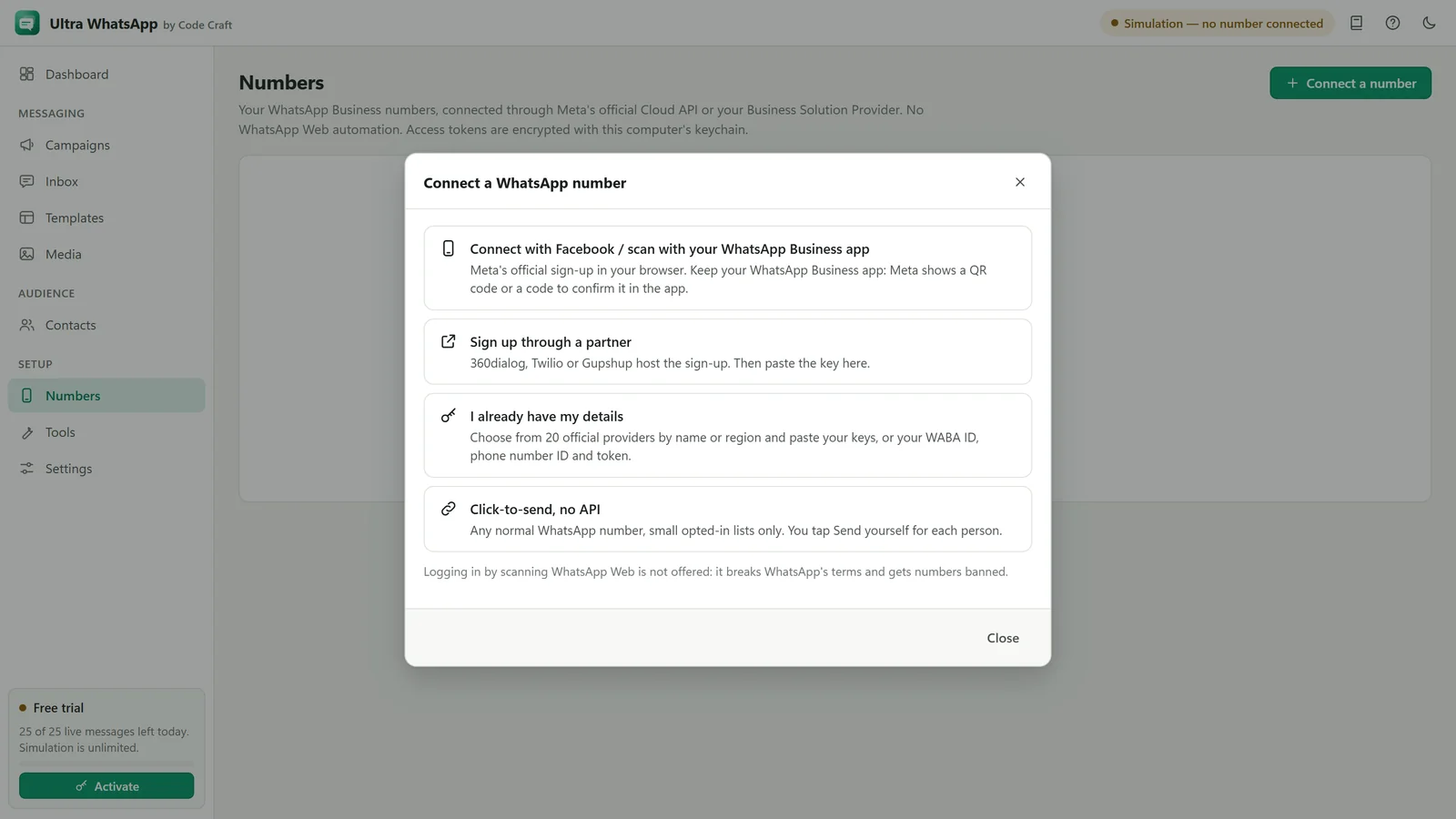
We are adding Meta's official sign-up to Ultra WhatsApp, so you can connect without copying IDs and tokens. It is not switched on yet. You lose nothing by using one of today's two routes.
What one-tap connect will do
- You sign in through Meta's own screens in your browser. If your number is on the WhatsApp Business app, Meta asks you to confirm with a QR code or a code in that app.
- You can keep using the WhatsApp Business app on the same number. Meta caps a number on both the app and the API at 20 messages a second.
- Broadcast lists, group chats, disappearing and view-once messages are not supported on the API side.
- You still pay Meta directly, and you must add a payment method in WhatsApp Manager to send.
This is not a WhatsApp Web login. Ultra WhatsApp never automates WhatsApp Web or the phone app, because that breaks WhatsApp's terms and gets numbers banned.
Two ways to connect today
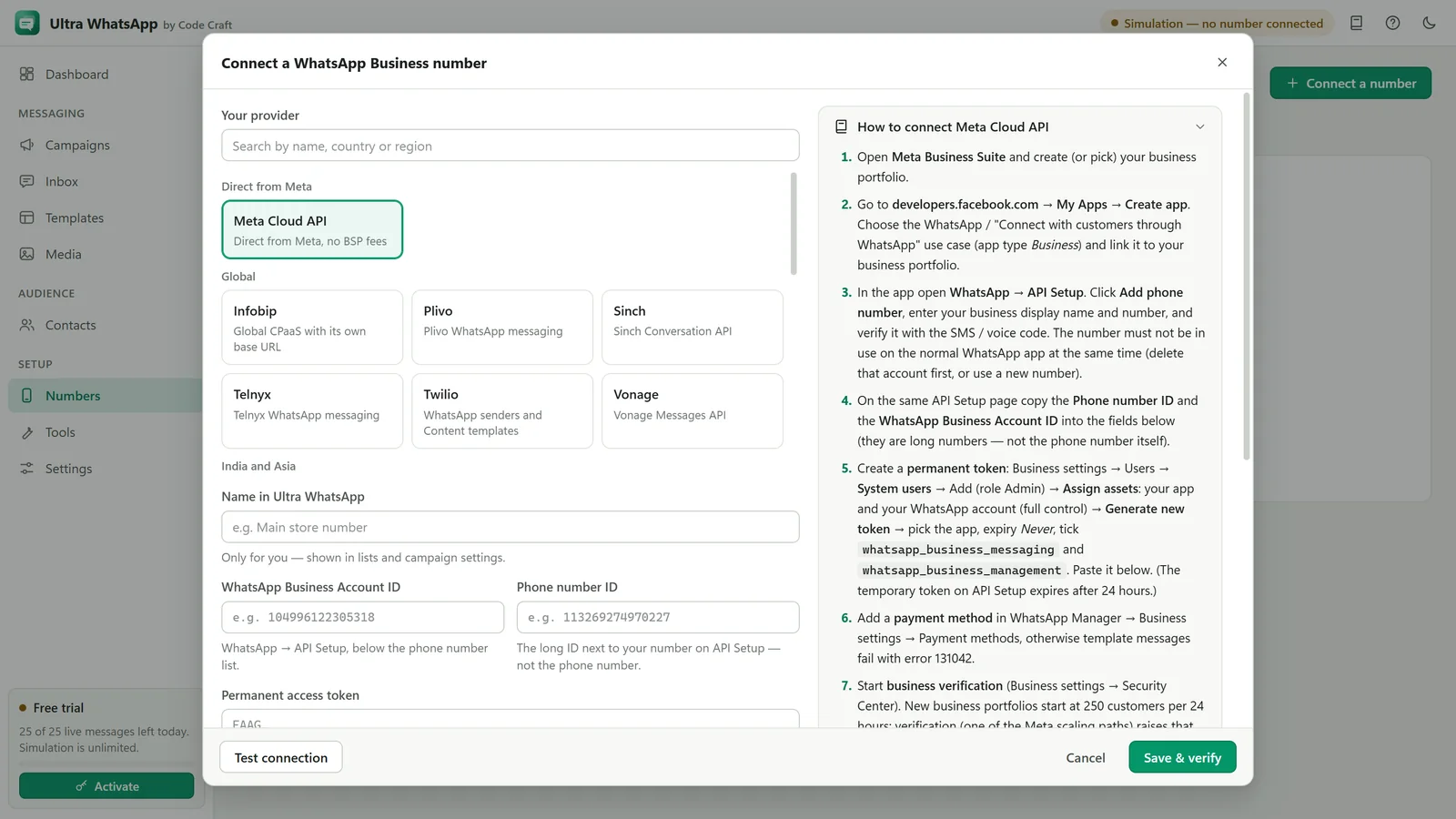
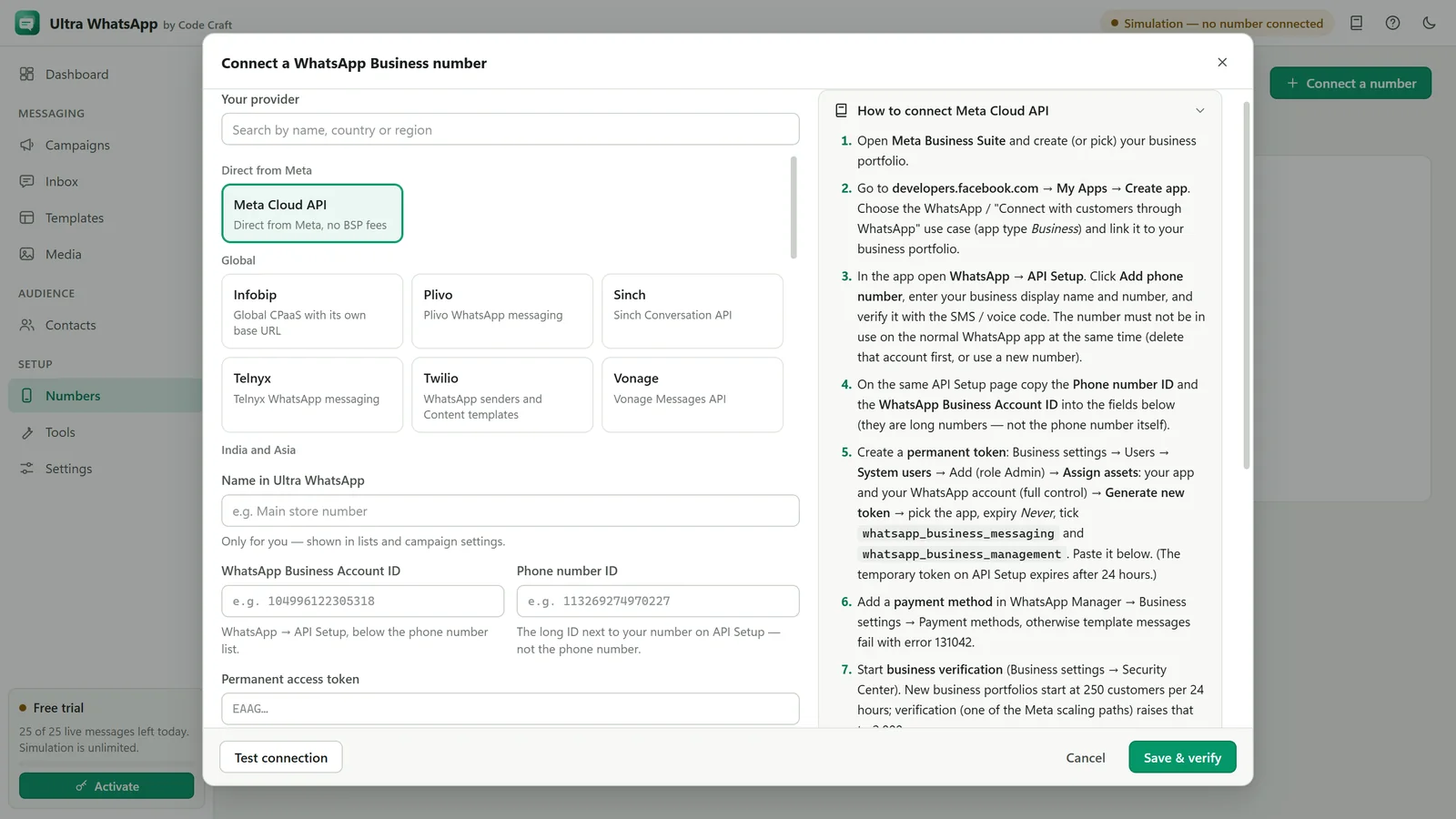
1. Manual setup
Create the account yourself and paste the values into the app. Direct with Meta there is no middleman fee, or use a key from any of the 18 named providers.
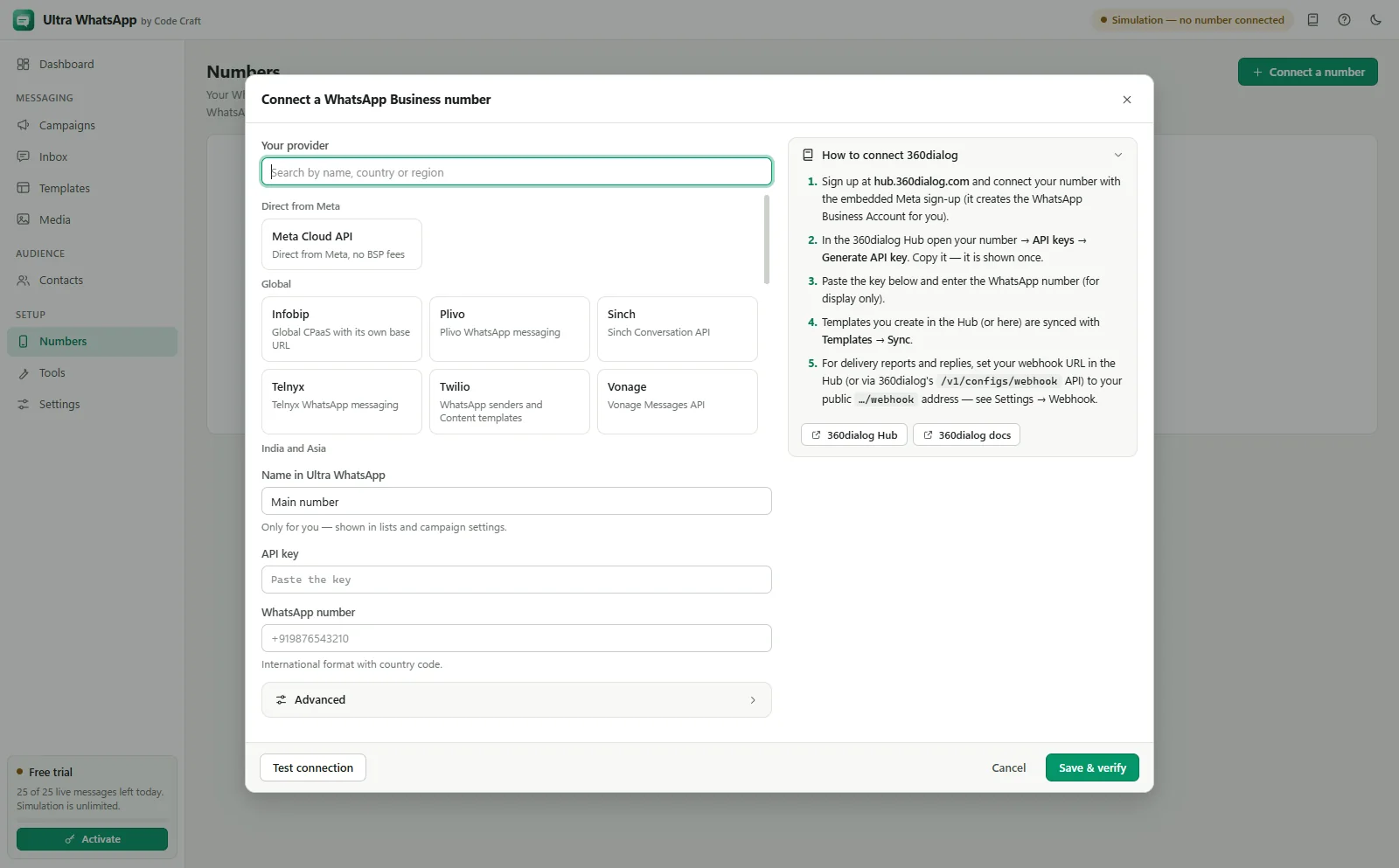
2. Partner setup
A Business Solution Provider hosts the sign-up, then you paste its key into the app. The provider adds its own fees to Meta's charges.
Already on the WhatsApp Business app? 360dialog's sign-up has a coexistence option today, confirmed with a QR code or a code.
The app can also use click-to-send for a small opted-in list on a normal WhatsApp number, with no API at all. It opens each chat with the message filled in and you tap Send yourself. See the tools chapter.
WhatsApp is a trademark of Meta Platforms, Inc. Ultra WhatsApp is an independent product by Code Craft and is not affiliated with or endorsed by Meta.
Related guides and pages
Where to go next: guides, setup steps and the pages people read alongside this one.
- Ultra WhatsAppWhatsApp Cloud API Setup: Meta and BSPsConnect a WhatsApp Business number through Meta or one of 18 named providers, with a token or key and a webhook.Open
- Ultra WhatsApp setupWhatsApp Business Cloud API Setup with MetaBusiness portfolio, app, phone number ID, permanent system-user token and webhook, with no middleman fee.Open
- Ultra WhatsApp setup360dialog WhatsApp API Setup, Step by StepWhere to get your API key after the hosted onboarding, what the app asks for, and how to test a template send.Open
- Ultra WhatsApp manualConnect a WhatsApp Cloud API NumberThe phone number ID, the WhatsApp Business Account ID, a permanent token and checks for each.Open
- Ultra WhatsAppBulk WhatsApp Sender FAQ: API and CostThe official Cloud API, templates, the 24-hour window, what Meta charges, messaging limits, opt-in, the free trial and the licence.Open