Global providers · Global
Twilio WhatsApp bulk messaging with Ultra WhatsApp
Send WhatsApp Business messages through Twilio's Messaging API with a WhatsApp sender registered in Twilio.
What Ultra WhatsApp asks for
| Account SID and Auth Token | Twilio Console home page, Account Info. |
|---|---|
| WhatsApp sender | Messaging, Senders, WhatsApp senders: the number you registered (or a Messaging Service that includes it). |
| Content template SIDs | Approved templates live in Twilio's Content Template Builder; Ultra WhatsApp syncs them. |
Steps
- In the Twilio Console open WhatsApp senders and click Create new sender. Pick your number and click Continue with Facebook. Finish within 60 minutes: progress is not saved.
- Create your templates in the Content Template Builder and submit them for WhatsApp approval.
- In Ultra WhatsApp open Numbers, click Connect a number, choose Sign up through a partner or I already have my details, pick Twilio, and paste the Account SID, Auth Token and the WhatsApp sender number in international format.
- Point the sender's status callback and incoming message URL at Ultra WhatsApp's public Twilio address (ending in /twilio, shown under Settings, Webhook & replies). Media is sent from a public https link, as Twilio has no WhatsApp media upload.
- Send a test template to your own number.
Good to know
- The Twilio WhatsApp Sandbox is only for testing with numbers that joined it; use a registered sender for campaigns.
- Twilio adds its own per-message fee to Meta's charges.
When Twilio makes sense
A provider can make onboarding easier and may be the account you already have, but it adds its own platform or per-message fees on top of Meta's charges. The rules stay the same either way: approved templates, opted-in contacts and Meta's messaging limits. Where the steps above set up a webhook, delivery statuses need that address saved in the provider's dashboard.
Dashboards change their menus from time to time; if a label differs, look for the API keys or developer section. Stuck? See the Ultra WhatsApp troubleshooting table, the Ultra WhatsApp user guide, or contact us.
Related guides and pages
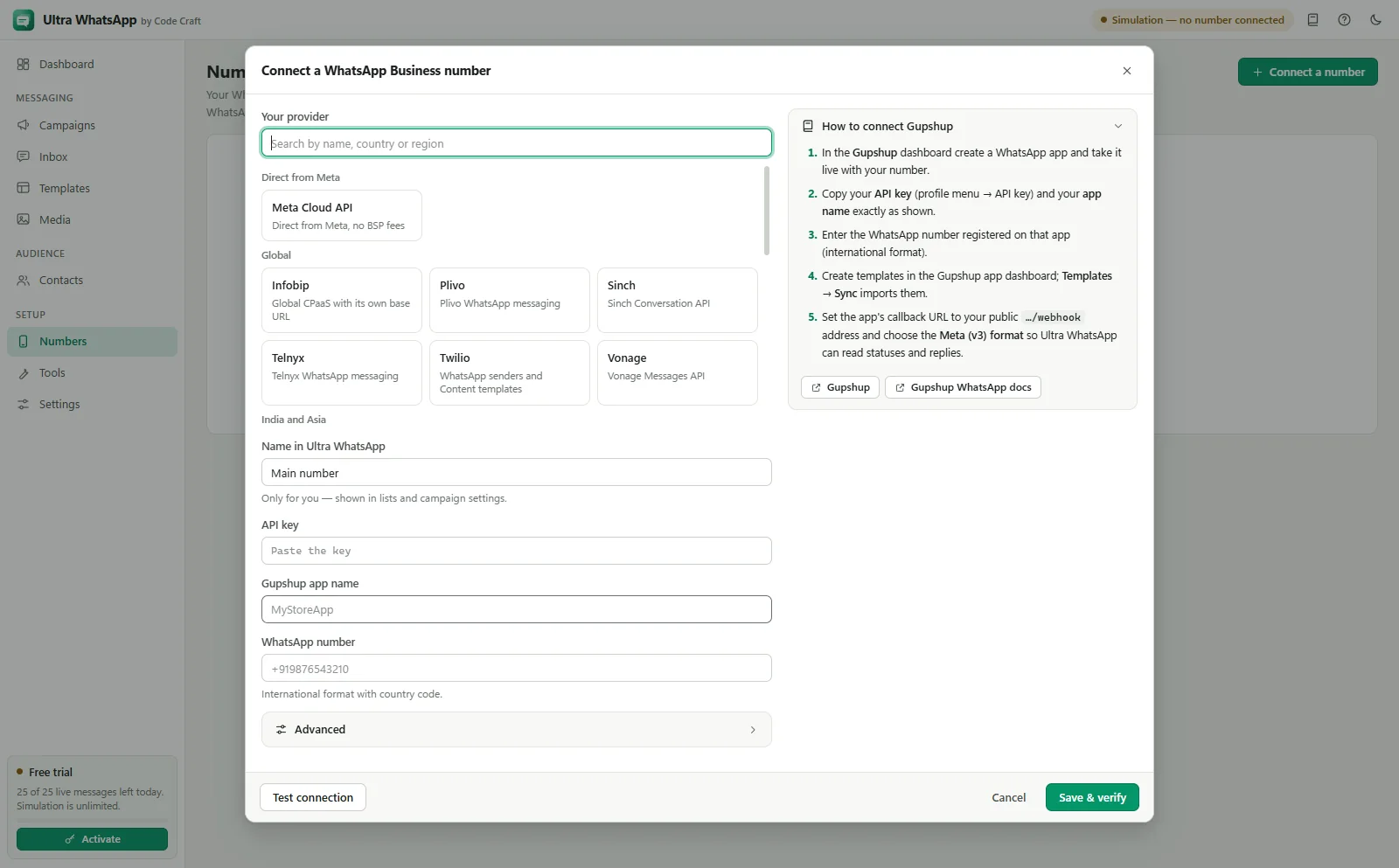
- Ultra WhatsApp setupGupshup WhatsApp API Setup, Step by StepConnect with your Gupshup app's API key, sync approved templates and send campaigns from your own device.Open
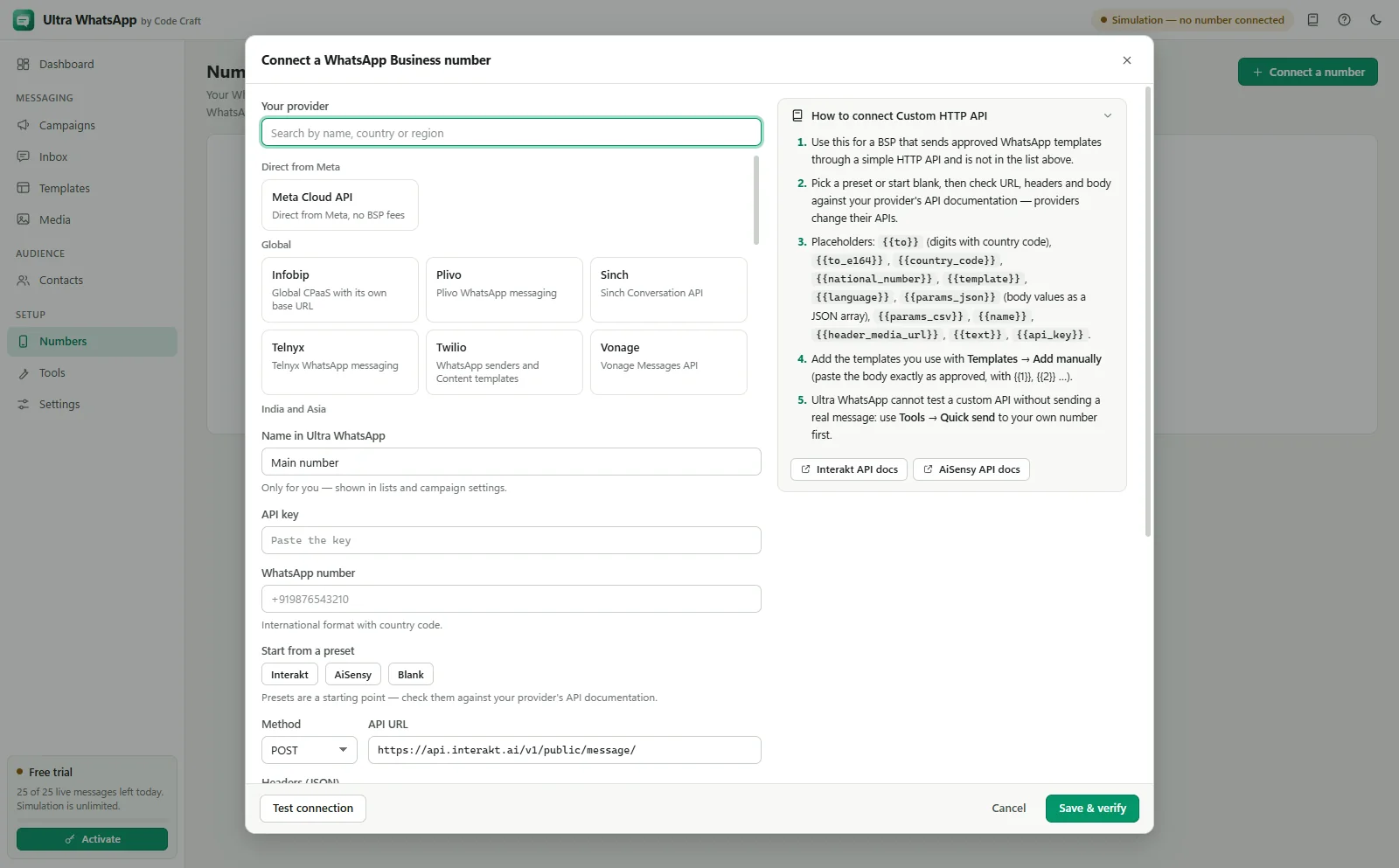
- Ultra WhatsApp setupWhatsApp BSP HTTP API Setup: Any ProviderStart from a preset or blank, check it against the provider's API docs and test one template.Open
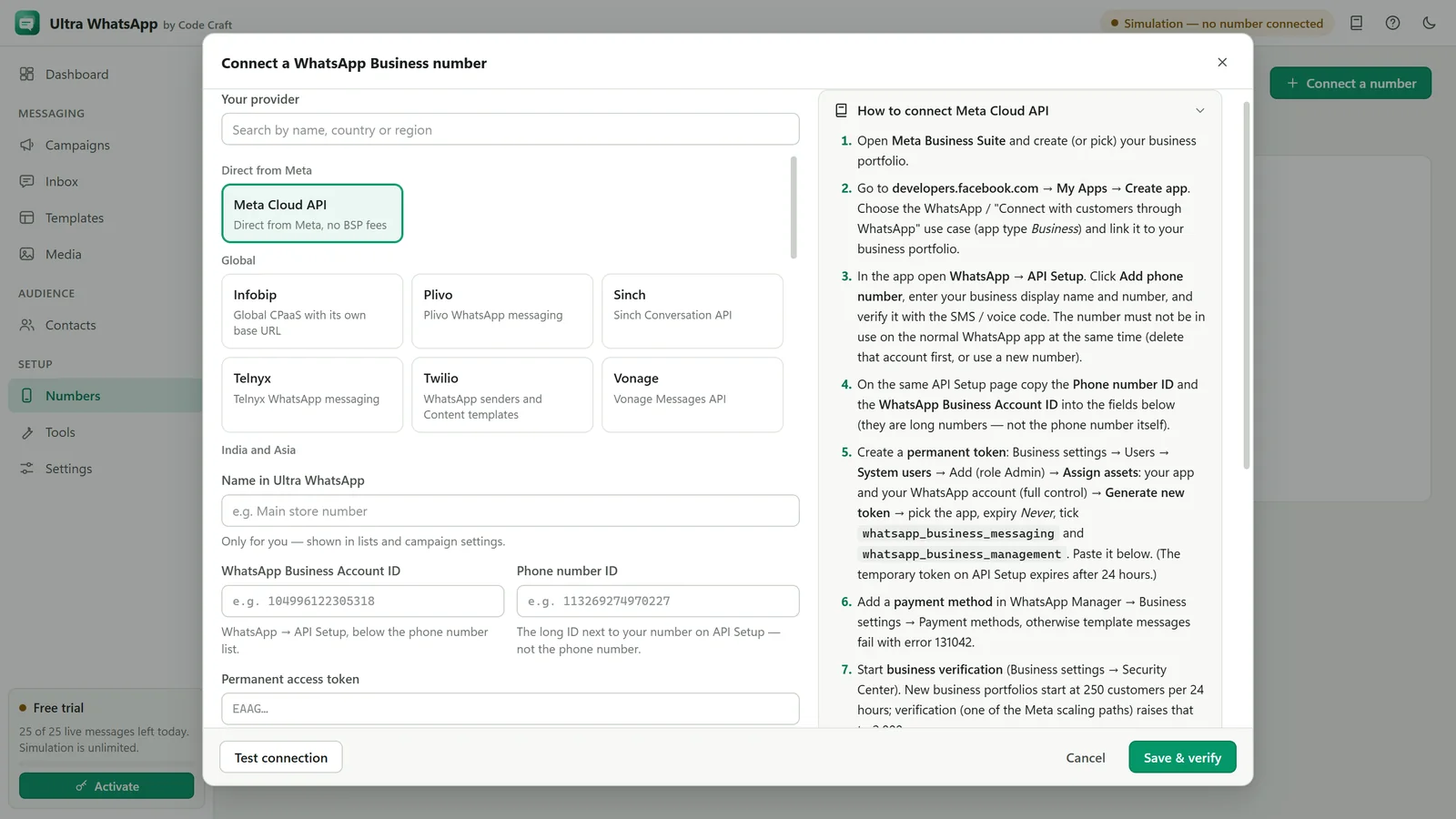
- Ultra WhatsApp manualConnect a WhatsApp Cloud API NumberThe phone number ID, the WhatsApp Business Account ID, a permanent token and checks for each.Open
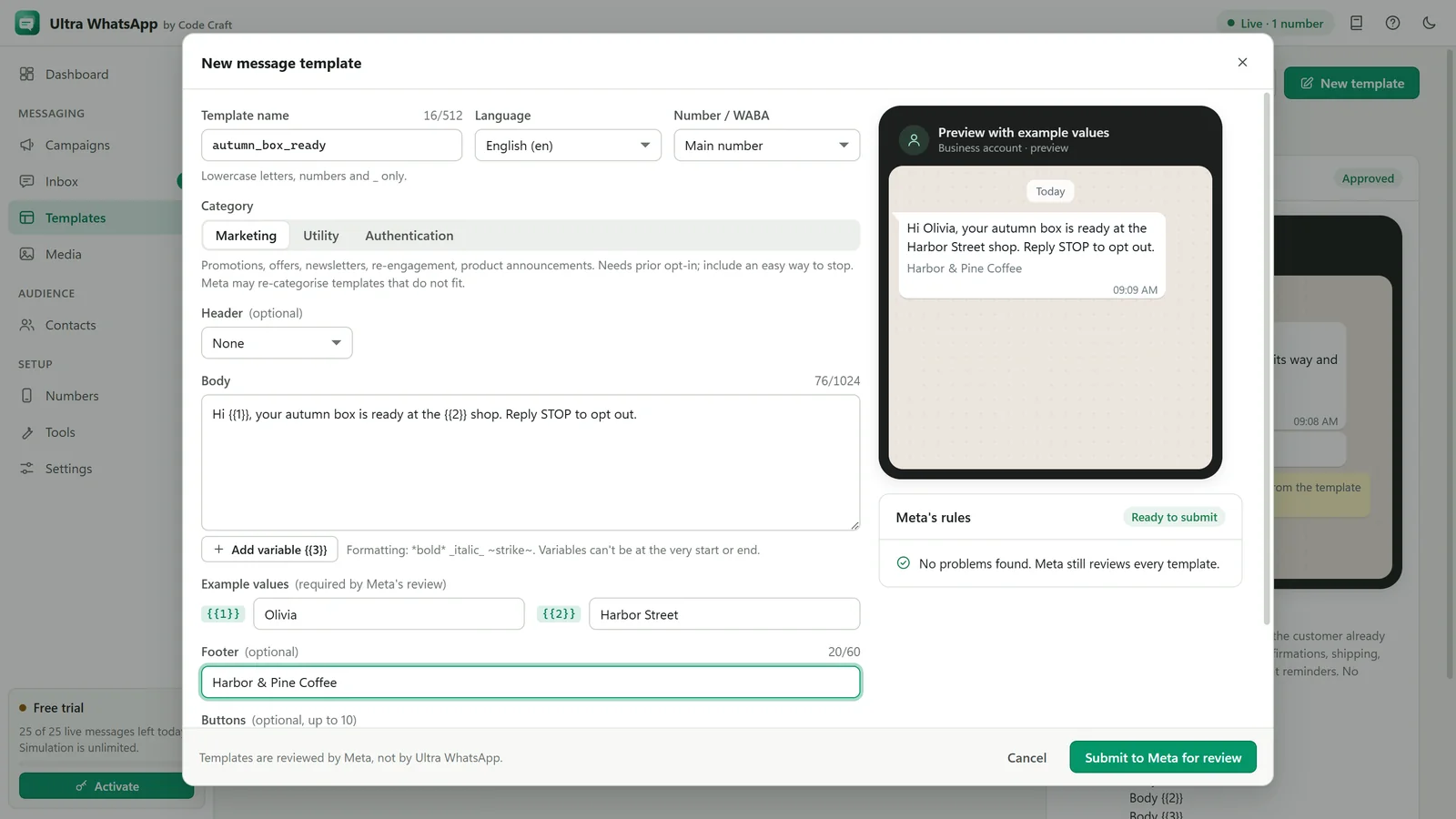
- Ultra WhatsApp manualWhatsApp Message Templates: Sync, Create, ApproveSync approved ones, write new ones with header, body, footer and buttons, and submit them for approval.Open
- Ultra WhatsApp manualWhatsApp Webhook and Replies Inbox SetupA public HTTPS address, the verify token, receiving delivery statuses, and answering replies in 24 hours.Open

- Ultra WhatsAppBulk WhatsApp Software Price: $79 a YearUltra WhatsApp is from $79 a year, $29 a month or $199 once, for 1, 3 or 10 devices, with a 15-day refund. Meta bills separately.Open
WhatsApp is a trademark of Meta Platforms, Inc. Ultra WhatsApp is an independent product by Code Craft and is not affiliated with or endorsed by Meta.